
RawMilk
Card in. Edit-ready out.
- Converts R3D, N-RAW and BRAW to ProRes or H.265
- Copies your camera cards, checked on every drive
- Makes higher-quality proxies than the camera's own, and Resolve relinks them by itself
- Twice as fast as RED's own converter on Apple silicon
Mac only · macOS 13.4 or later · Apple silicon (M1 or later)
2.0× faster on 8K RED RAW, against RED's own converter¹
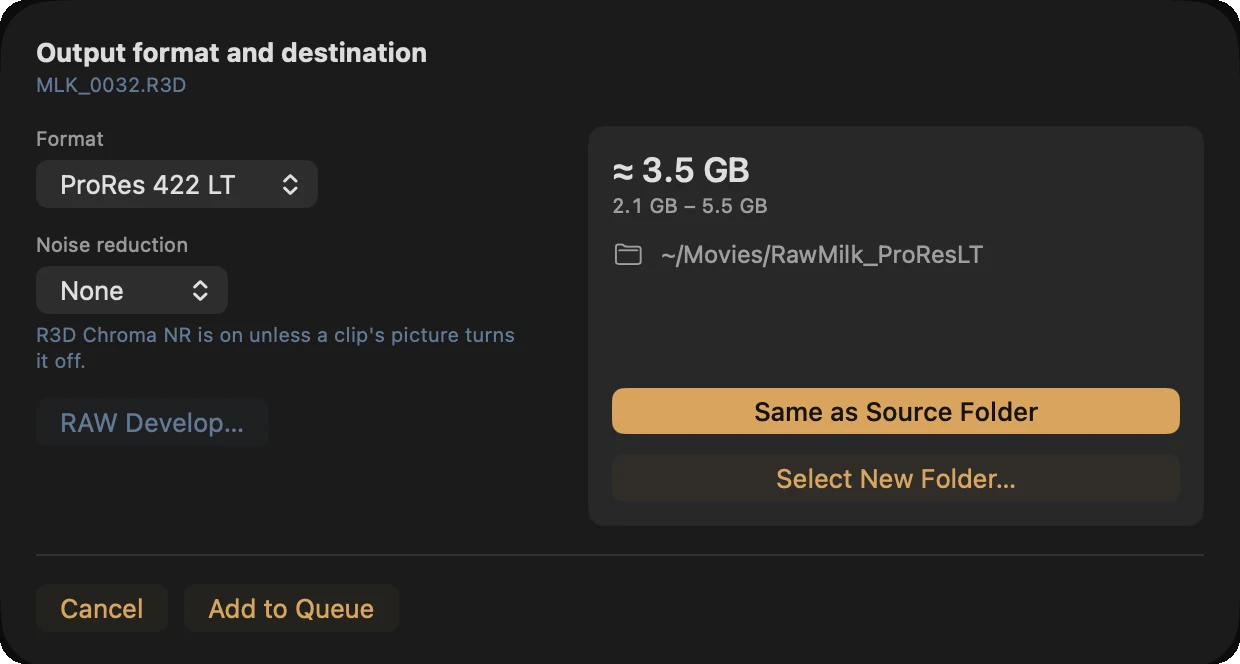
About ⅓ the size of the R3D in ProRes LT, under ¼ in H.265, on a Nikon ZR²
43% less time to copy two cards at once³
Same picture as RED's own decode: no visible colour difference, brightness within one 10-bit step⁴
Three steps
Put a card in, or pick clips
RawMilk sees a card in about a second. Or choose clips, or drag in a folder. Either way it counts the clips and checks the job fits your drive.
Pick what to make
Copies, ProRes or H.265, proxies. Fix ISO and white balance in the RAW first if you want.
Open it in Resolve
Proxies relink by themselves, the sound is beside the picture, and a card is ejected when it's done.
RED's own decoder, running natively
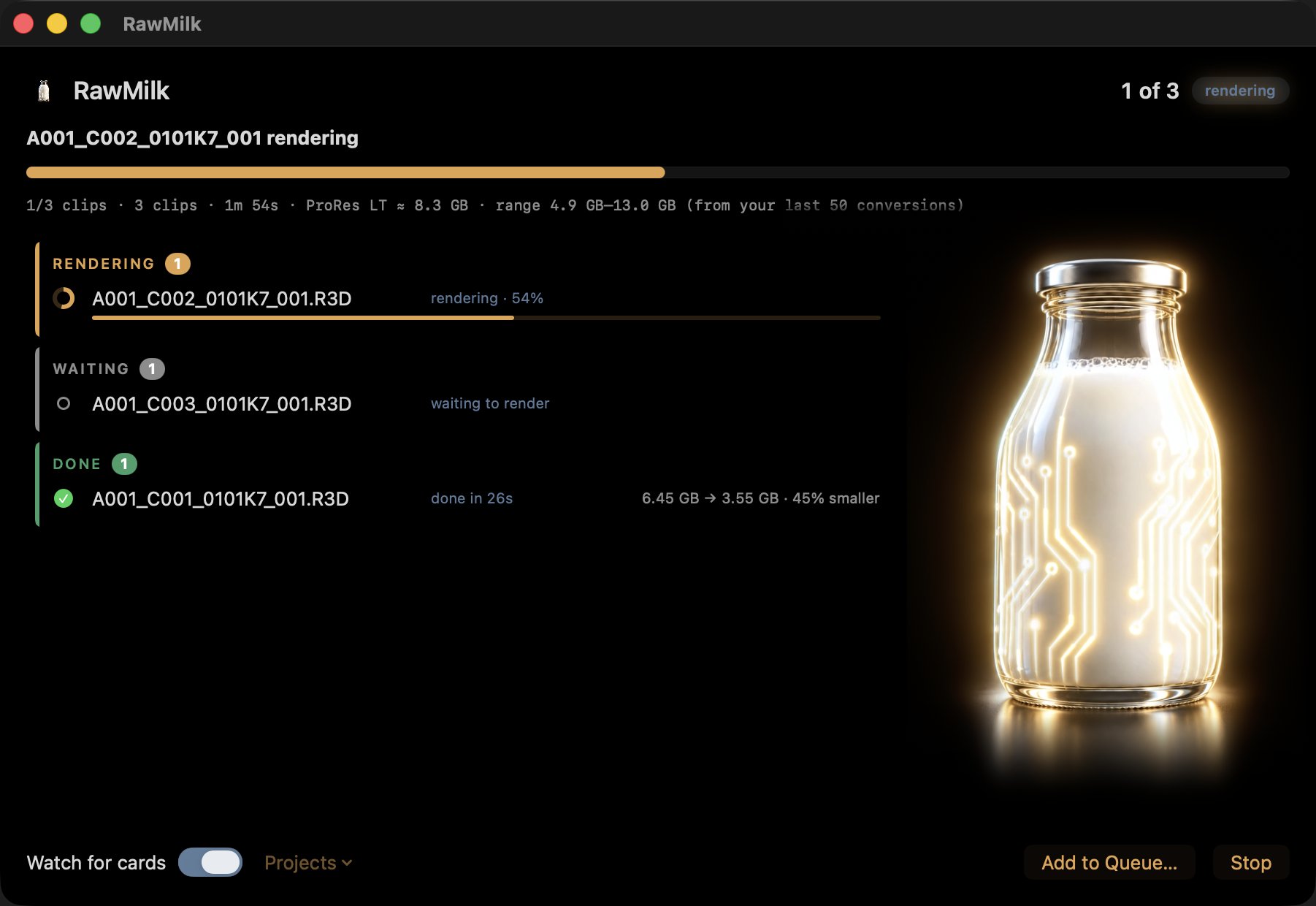
RawMilk runs RED's R3D SDK natively on Apple silicon, decoding on the GPU and writing ProRes on the Mac's own video chip. Most R3D tools drive REDline instead, an Intel program that runs under Rosetta on these Macs with the GPU switched off. Same picture, half the wait.
Full quality, a fraction of the size
Smaller files usually mean a worse picture. Not here. RawMilk's ProRes LT keeps the clip's full dynamic range: on eight ZR clips from ISO 800 to 12800, the highlights clip where RED's own decode clips them and the deepest shadows stay within the RAW's own noise.⁵ Its H.265 is the same 10-bit 4:2:2 log, with each clip's bitrate sized from what that clip's ProRes LT would be: 30% smaller than ProRes LT, and a touch sharper on our test clip.⁶ From a Nikon ZR's R3D, ProRes LT comes out about a third of the size and H.265 under a quarter, with no visible colour difference from RED's own decode.² From Nikon N-RAW, that's about a fifth of the original's size on a ZR and an eighth on a Z8.⁷ The H.265 proxies match ProRes Proxy's picture at about a third of the size.⁸

Fix the shot in the RAW, before the encode
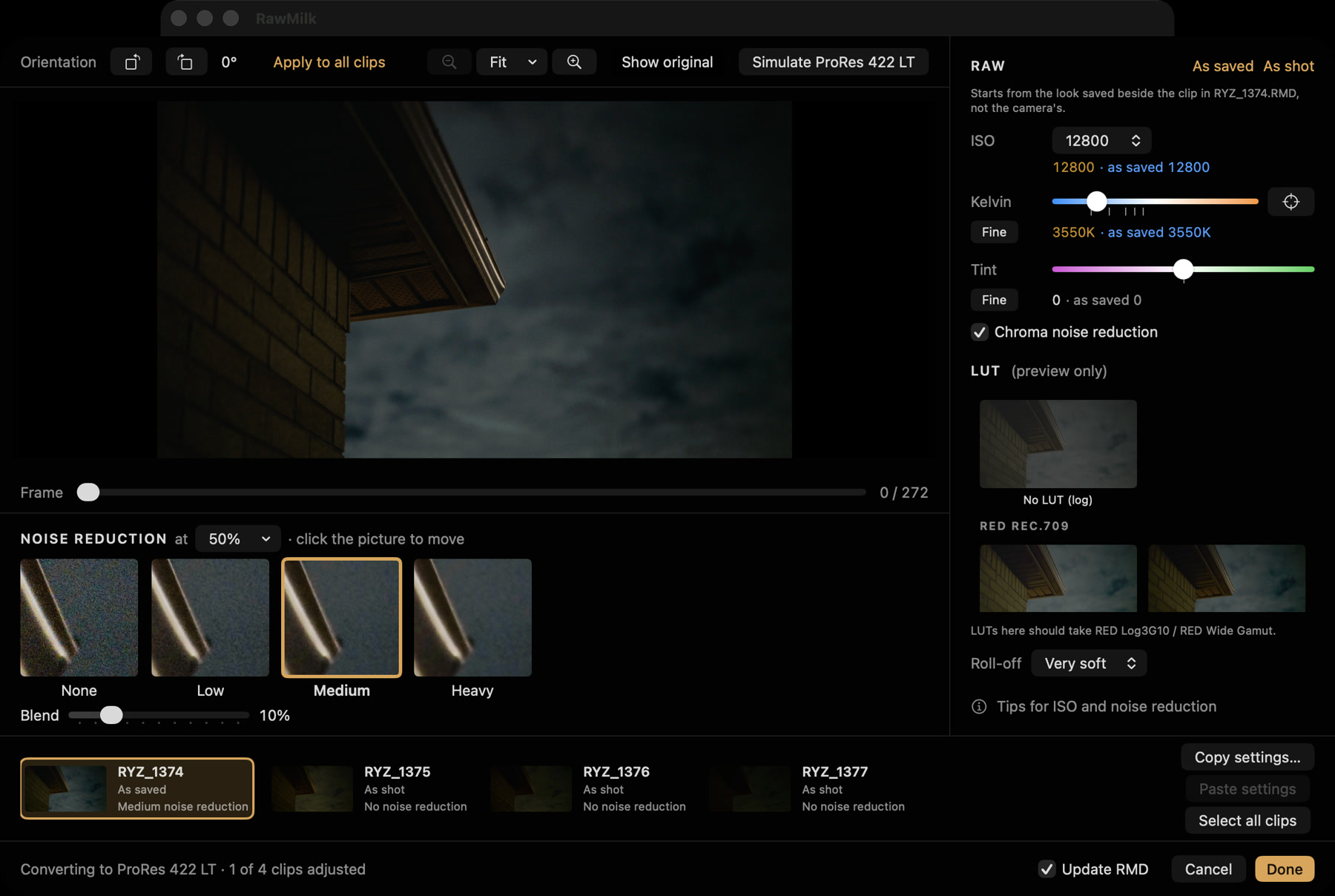
Set ISO, white balance, tint and noise reduction per clip, in the RAW, where it's lossless. Click a white wall and RED's own picker gives you the Kelvin and tint that make it neutral. Pick noise reduction by looking at four 100% crops of the same spot. Turn on "Save RMD" and the look is kept beside the clip, so RED's apps and Resolve open it the same way.
White balance here is a real RAW setting, not a grade on top. Warm a shot from 5600 K right down to 2500 K and it comes out the way RED's own decode makes it. Make the same change to the ProRes afterwards and skin goes pink, on 8 of 8 clips.⁹
One job, start to finish
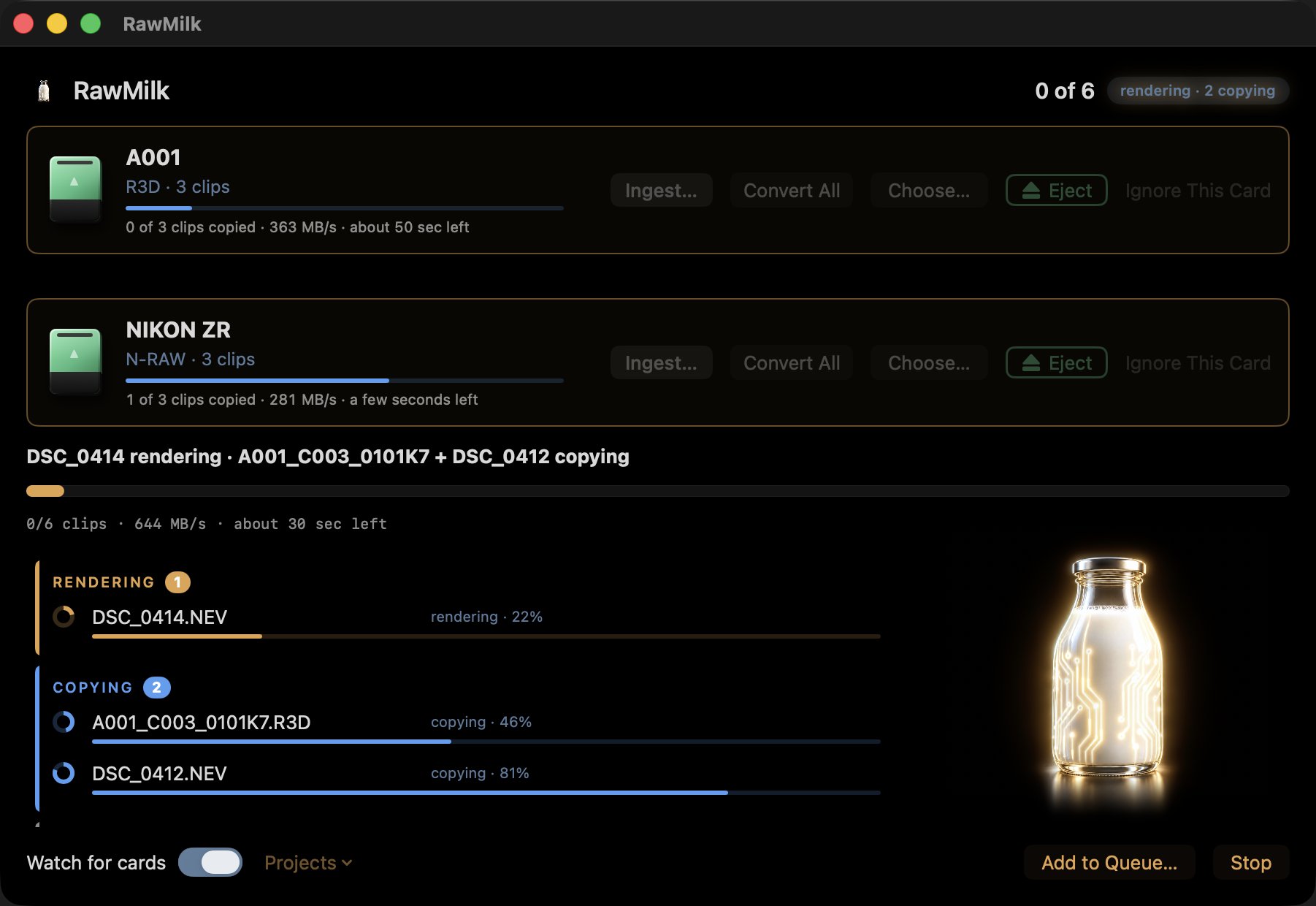
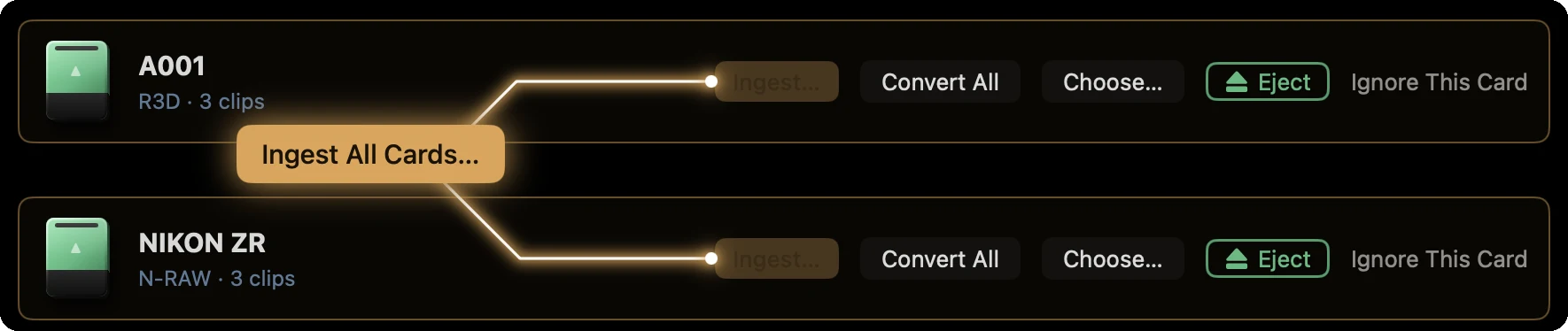
Put a card in. RawMilk notices it about a second after it mounts, counts the clips, and tells you whether the whole job fits on your drive before anything starts. Then it copies the RAWs, converts, makes proxies, brings the sound recorder's audio across and ejects the card. Renders start as each clip lands, so you aren't waiting for the copy to finish first. Two cards in? Ingest both at once and the job takes as long as the slower card.
Noise reduction that doesn't ghost
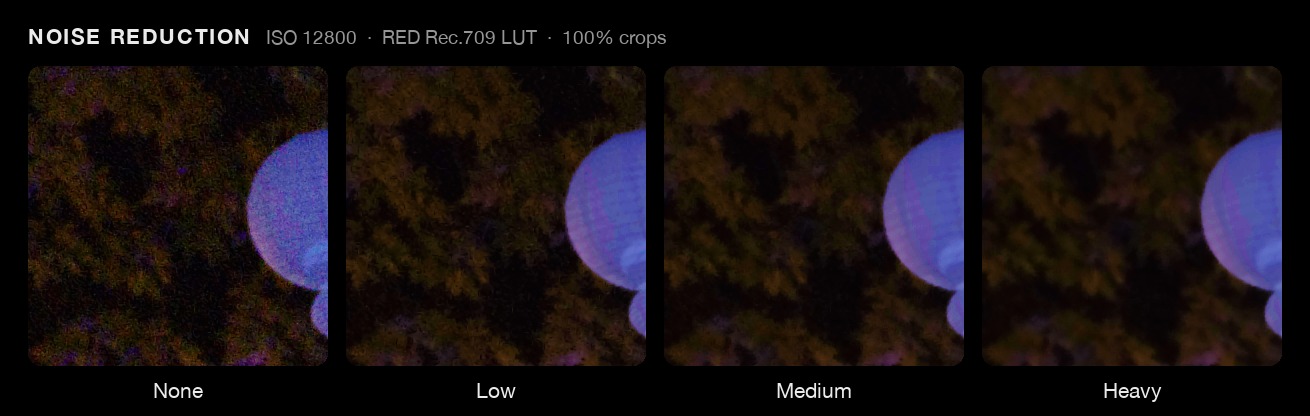
The free filter most tools use blends each frame with the last one without following motion, so moving faces double and smear. RawMilk's noise reduction tracks motion and matches small patches across frames, and sets its strength from each clip's own measured noise. At ISO 12800 its gentlest setting removes more noise than the old filter's strongest. At ISO 800 it keeps 80-100% of fine texture, where the old filter kept 29-64%.¹⁰ It runs inside the same GPU pass as the conversion, so there's no temp file.
Every copy checked, and a report to keep
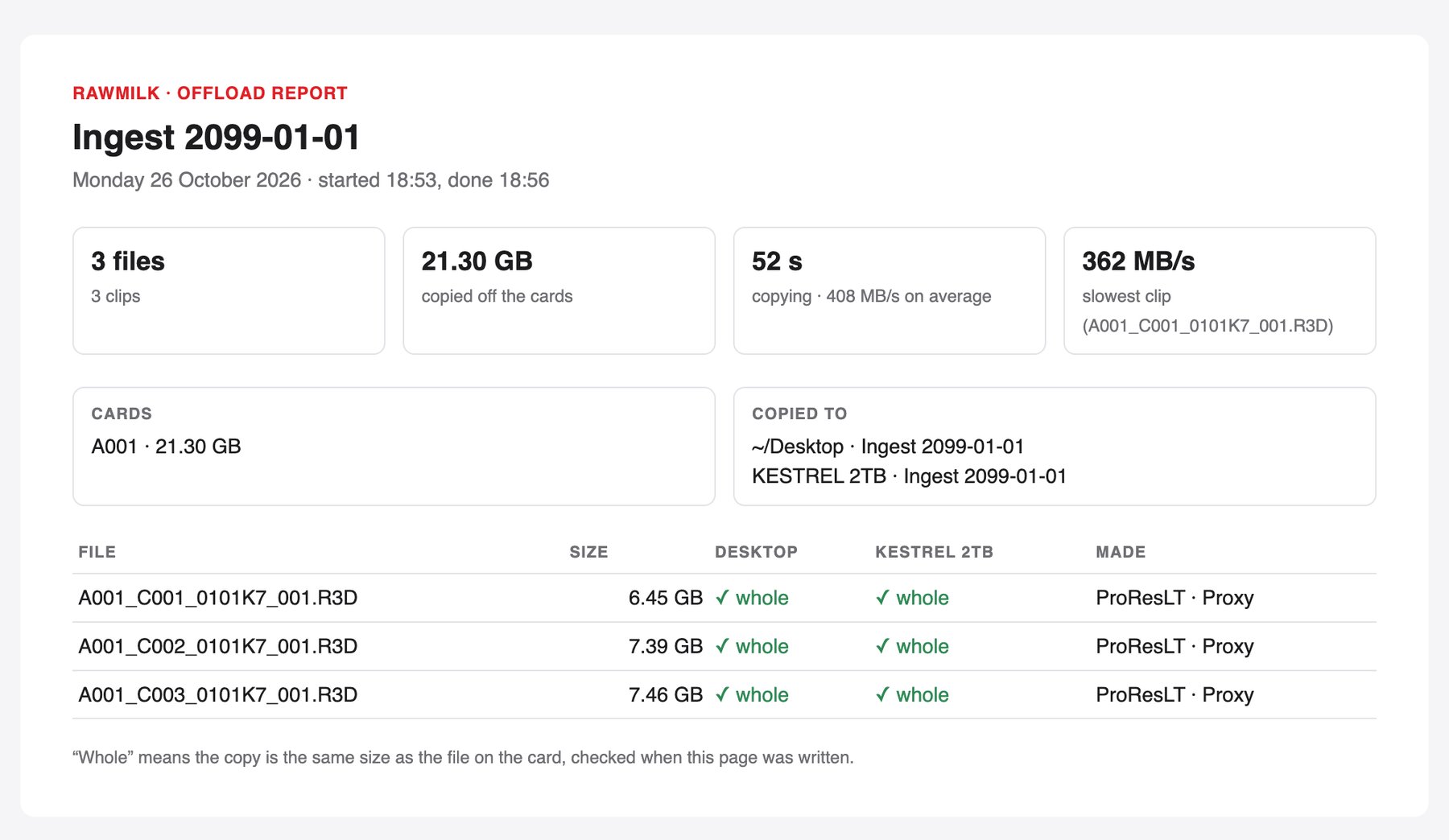
Each clip is written under a hidden name and gets its real name only once it's whole. Every copy is checked by size against the file on the card, on every drive you copy to, and a copy that comes up short fails that clip everywhere, so you never cut from half a file.
When the ingest is done, RawMilk saves an offload report in the project: one page listing every file, its size, and whether it landed whole on each drive. It opens in any browser.
Up close


The menu bar


Supported cameras and formats
Reads
- R3D NENikon ZR
- N-RAWNikon ZR, Z8, Z9 and Z6III
- R3DRED cameras
- BRAWBlackmagic cameras
- WAV, BWF, FLACSound recorders, copied with the shoot
Makes
- ProRes 422 Proxy
- ProRes 422 LT
- ProRes 422
- ProRes 422 HQ
- H.265 10-bit 4:2:2
- Proxies, ProRes or H.265
All features
- RED's own SDK, built in No REDCINE-X PRO install needed.
- Apple's own ProRes encoder Every ProRes file is made on the Mac's video chip.
- H.265 in one pass No giant temp files. Each clip gets its own bitrate.
- Copies you can trust The card is read once, and a file only takes its name when it's whole.
- RED clip folders, handled right 4 GB parts stay one clip, and a cut-off copy picks up where it stopped.
- Protected takes stay marked The ZR's protect flag becomes a red Finder tag.
- Shoot dates kept On every copy, conversion and proxy, even on ExFAT.
- Your folder structure Built from the footage: project, date, camera, card, roll.
- Ejects stubborn cards Even in readers that say they can't, and it names the app holding a busy one.
- Errors you can act on Each one says what went wrong and what to do next.
- A terminal command too
rawmilkruns the same engine. - Tested hard 969 engine tests and 1,260 app tests.¹⁹
Measured
Speed (RED's SDK in RawMilk against REDline, same Mac, same clip)
| Job | RawMilk | REDline | |
|---|---|---|---|
| 8K V-RAPTOR clip, 896 frames, to ProRes LT | 38.1 s | 76.0 s | 2.0× ¹² |
| Whole 6K ZR clip to ProRes LT | 24.5 s | ~49 s | 2.0× ¹³ |
| 6K ZR to H.265 (28.5 s clip) | 34.4 s | 90.5 s | 2.6× ¹⁴ |
| 1080p ProRes Proxy, 6K source | 40.8 fps (80.3 at half-res decode) | 20.6 fps | 2-3.9× ¹⁵ |
| Three-clip ingest, convert + proxies | 66 s | 98 s | 1.5× ¹⁶ |
What R3D turns into (share of the original R3D size, Nikon ZR 6K)²
| Clips | ProRes LT | H.265 |
|---|---|---|
| 7 longer clips, 25.5 GB of R3D | 35.0% | 23.7% |
| 7 short clips, 1.6 GB | 42.7% | 26.3% |
| Range per clip | 25-55% | 17-27% |
Colour against RED's own decode (average Delta E; under 1 is no visible difference)⁴
| ISO | ProRes LT | H.265 |
|---|---|---|
| 200 | 0.43-0.44 | 0.44-0.52 |
| 800 | 0.59-0.63 | 0.66-0.72 |
| 3200 | 0.70-0.72 | 0.75-0.85 |
What N-RAW turns into (share of the original .NEV size)¹⁷
| Camera, original | ProRes LT | ProRes Proxy | H.265 |
|---|---|---|---|
| Nikon ZR, 6K N-RAW, 1862 Mb/s | 74% | 31% | 22% |
| Nikon Z8, 8K N-RAW, 3461 Mb/s | 101% | 45% | 12% |
On the Z8 at 8K, ProRes LT is as big as the N-RAW. That's why Nikon files default to ProRes Proxy for the conversion and H.265 for proxies.
Proxies against the camera's own MP4 (Nikon ZR, DSC_1070)¹⁸
| Proxy | Size per clip | Difference from the full-quality picture (lower is better) |
|---|---|---|
| RawMilk Half (default) | 238 MB | 0.59% |
| RawMilk H.265 Half | 85 MB | 0.59% |
| RawMilk H.265 1080p | 52 MB | 0.69% |
| Camera's own MP4 | 78 MB | 0.92% |
Get RawMilk
Mac only · macOS 13.4 or later · Apple silicon (M1 or later)
Version 1.0
- A Mac with Apple silicon (M1 or later). Intel Macs can't open it.
- macOS 13.4 or later. Tested on macOS 26. Not sure about your Mac? Try the free trial first.
- Nothing else to install. REDCINE-X PRO is optional, as a backup engine.
- RED's LUTs aren't included. RawMilk uses the ones already on your Mac, or links you to RED's free download.
- An internet connection to activate your key, and for the daily update check.
The licence
- One licence, one person, up to 2 Macs at a time. Settings › Licence shows which Macs use your key. Remove This Mac frees its place.
- Updates are free for now. RawMilk checks twopop.ca once a day, downloads in the background and says "A new version is installed. Reopen to use it." The check sends no footage and no usage data.
- Refunds: all sales are final, except where the law where you live gives you a right to a refund. That's why the trial is generous: try it on your own cards first.
- Your footage and every file RawMilk makes are yours.
- The full licence is shown in the app before you start, in English and French.
Questions
Can I try it before I buy?
Yes. The trial is the whole app: 2 card ingests and 20 conversions. Each file RawMilk makes counts as one, so a clip converted to ProRes with a proxy uses two. Copying a card on its own doesn't use conversions. If a job needs more than you have left, RawMilk asks before it starts, never halfway through.
Which cameras does it work with?
Nikon ZR (R3D NE and N-RAW), Nikon Z8, Z9 and Z6III (N-RAW), RED cameras, and Blackmagic RAW files. It's tested on Nate's own ZR cards, a full RED V-RAPTOR 8K magazine, Z8 N-RAW and a 6K BRAW clip.
Do I need REDCINE-X PRO or RED's SDK installed?
No. RED's SDK is built into RawMilk. If you have REDCINE-X PRO installed, RawMilk can use REDline as a backup for a clip the SDK can't make, and it still fixes REDline's timecode and puts the camera's own audio back in.
Why ProRes and not keep it RAW?
ProRes opens in every editor, on every Mac, with no plug-in, and it's light on your machine while you cut. You set the RAW decisions (ISO, white balance, noise reduction) per clip before the conversion, where they're lossless, and RawMilk can save them in the clip's .RMD file so the RAW still opens with your look. Keep the RAW too: RawMilk copies it first.
Which ProRes should I pick?
ProRes LT is the default for R3D, and it keeps the RAW's dynamic range on the ZR clips measured. ProRes Proxy is the default for Nikon N-RAW, because at 8K ProRes LT can be as big as the original. HQ is there when a grade needs it. H.265 is the smallest; it beats ProRes LT on size and picture at 29.97, and can fall behind on 59.94 or very noisy footage.
Two clips were about the same size. Why did one convert so much smaller?
Because the camera's RAW and ProRes size things differently. The camera holds its files to a steady data rate, so their size mostly follows how long the clip runs. ProRes spends what each picture needs: a busy or noisy shot (high ISO, leaves, water, a crowd) comes out bigger, and a clean, simple one comes out smaller. On the same 6K Nikon ZR frame size, ProRes LT ran from 565 to 1,871 Mb/s, over three times apart, depending only on what was in the shot. RawMilk sizes each clip's H.265 from that clip's ProRes LT, so H.265 follows the same pattern. Nothing is wrong, and the picture quality is the same either way.
Do the proxies really relink in DaVinci Resolve?
Yes. They go in a folder named Proxy beside the RAWs, carrying the clip's own timecode, which is what Resolve looks for. That's tested with Resolve's own Link Proxy Media.
Does it ingest cards, or only convert?
Both, in one job: copy the RAWs to one or more drives, convert, make proxies, bring the sound recorder's takes, eject. Or just copy. Or just convert files already on your drive.
Does it verify copies with checksums?
No. Every copy is checked by size on every drive, written under a hidden name until it's whole, and a short copy fails the clip everywhere. Checksums would add about a quarter to the copy time, so RawMilk doesn't do them. If you need MHL reports for a client, use a dedicated offload tool.
Does it work with BRAW?
Yes, RawMilk is compatible with Blackmagic Design Blackmagic RAW. It converts in Blackmagic Film, and RAW Develop sets ISO and white balance. Blackmagic's SDK has no noise reduction, so RawMilk doesn't offer it on BRAW.
What about the Nikon ZR's sideways clips?
The ZR's R3D doesn't record which way up the camera was held. RawMilk reads it from the camera's MP4 beside the clip, or works it out from the picture, and suggests the turn. It never turns anything by itself, and it never rotates the pixels: it writes a rotation tag.
Can I use it on two Macs?
Yes, one key works on 2 Macs at a time. Remove a Mac in Settings › Licence to move it to a new one.
Does it run on Intel Macs or Windows?
No. Apple silicon only. Windows may come later as a separate app. If you'd use it, vote: it tells us how many of you want it.
Where can I buy it?
Only here, on twopop.ca. Checkout isn't open in the EU, the UK, the Isle of Man or Monaco yet: email apps@twopop.ca and ask.
Something went wrong. Who do I tell?
apps@twopop.ca. Every error in RawMilk says what happened and what to do next; send that line with your email.
How we measured: 19 notes
All measurements on Nate's M4 Pro Mac, RED R3D SDK 9.2.1, REDCINE-X PRO 65.2.1.
- A001_C001_0913AB, V-RAPTOR 8K VV, 8192×4320, 24 fps, 896 frames, 11 GB, to ProRes LT from the same internal-SSD copy. 2026-10-18.
- Nikon ZR R3D, 6K 6048×3402, 23.976, installed engine. 7 longer clips (25.5 GB of R3D, 171-951 frames, ISO 200-640): ProRes LT 35.0% of the R3D, H.265 23.7%. 7 short clips (1.6 GB, ISO 800): 42.7% and 26.3%. Per clip LT 25-55%, H.265 17-27%; busy, detailed shots land at the top. Faster than real time on an M4 Pro: LT 30-36 fps, H.265 23-26 fps. 2026-10-26. (r3d-convert FINDINGS, "RawMilk's output sizes and colour against RED's own decode", 51d9c2d)
- 53 GB on each of two NIKON ZR cards to the Mac's internal SSD, copy only: 2 min 14 s one after the other, 1 min 16 s together. Your 40 Gb/s and 10 Gb/s readers, one test, 2026-10-20. Helps less when the destination is a spinning drive.
- 240 frames, PSNR Y 61.3 dB (worst 61.1), SSIM 0.9993 against REDline
--useMeta; 16 of 16 checks across 4 ProRes tiers × 3 frame rates. 61.3 dB is an average difference of 1/1160 of the full range: under one 10-bit step, a quarter of one on an 8-bit screen. Colour: CIEDE2000 against RED's uncompressed 16-bit decode through RED's Rec.709 LUT, three ZR clips, first/middle/last frame: mean Delta E ProRes LT 0.43-0.72, H.265 0.44-0.85 (ISO 200 to 3200); under 1 is no visible difference (95th percentile 0.9-2.0). 2026-10-26. (r3d-convert FINDINGS, same entry as 2) - Eight Nikon ZR clips, ISO 800 to 12800, frame 60, ProRes LT against RED's SDK scene-linear decode. The clip point is kept within 2%; in the darkest bands (down to 8 stops under mid grey) the LT's noise is -24% to +12% of the RAW's; Log3G10 holds about 4 stops above the sensor clip. 2026-10-10.
- 0.70× the size of ProRes LT and 1.11 dB better, on a whole 43.9 s clip at 29.97. At 59.94, and on very noisy clips, the 400 Mb/s cap means LT can score higher.
- Same as 17.
- Same as 18.
- Eight ZR clips, 5600 → 2500 K, RAW wins 8/8 by +6.9 dB (log) and +7.7 dB (Rec.709) against the best per-channel grade of the ProRes LT. Small and cooler changes can go either way. 2026-10-10.
- Six clips, ISO 800 to 12800, scored on frame 60 of 64. ISO 12800 (DSC_1019): 62-68 / 80-86 / 89-91% of flat-area noise removed at Low / Medium / Heavy, against the old filter's 9 / 31 / 62%. 2026-10-09.
- 122 clips measured, 31 at 59.94; REDline's EdgeCode half a second late on 13. DSC_0412: R3D, SDK, ffprobe and Resolve read 10:32:25:40, REDline wrote 10:32:26:10.
- Same as 1.
- DSC_1142, whole clip. 2026-10-08.
- 28.5 s 6K ZR clip, same output to ffprobe, picture +0.03 to +0.35 dB better. REDline route = ProRes 4444 then ffmpeg.
- 240 frames, 2026-10-08. SDK 57.9 dB vs REDline's proxy; half-res 56.9 dB.
- Same 3-clip ingest, REDline running two at once.
- 300 frames each, 59.94p, SDK 9.2.1. DSC_0165 (ZR) and DSC_5938 (Z8). H.265 at 0.85× LT, capped at 400 Mb/s. The Z8 run decoded in Rec.709, which may move LT's size a little. 2026-10-23.
- DSC_1070, frame 40 (ProRes) and 64 frames converged (H.265), against a ProRes 4444 reference. Our 1080p ProRes Proxy is not sharper than the camera's MP4 (41.59 dB); its edge is 10-bit 4:2:2. 2026-09-05.
- Engine 969 tests, app 1,260 tests. (r3d-convert HANDOFF)