
WIG
Find any shot on any drive. Even the unplugged ones.
- IN THE PICTUREType "a goalie making a save" and get the shot.
- IN WHAT'S SAIDEvery word spoken in your clips, searchable to the second.
- ON THE SHELFSearch drives that aren't plugged in, footage and all.
- READ ONLYIt never writes to your drives.
Mac only · macOS 26 Tahoe or later · Apple silicon (M1 or later)
Search your footageby what's in the picture and what's said
269,633 files on 14 drives,in one search box¹
Unplugged drivessearched like plugged-in ones, footage too
Read only.Everything WIG keeps lives on your Mac, never on the drive
How it works
Plug in your drives
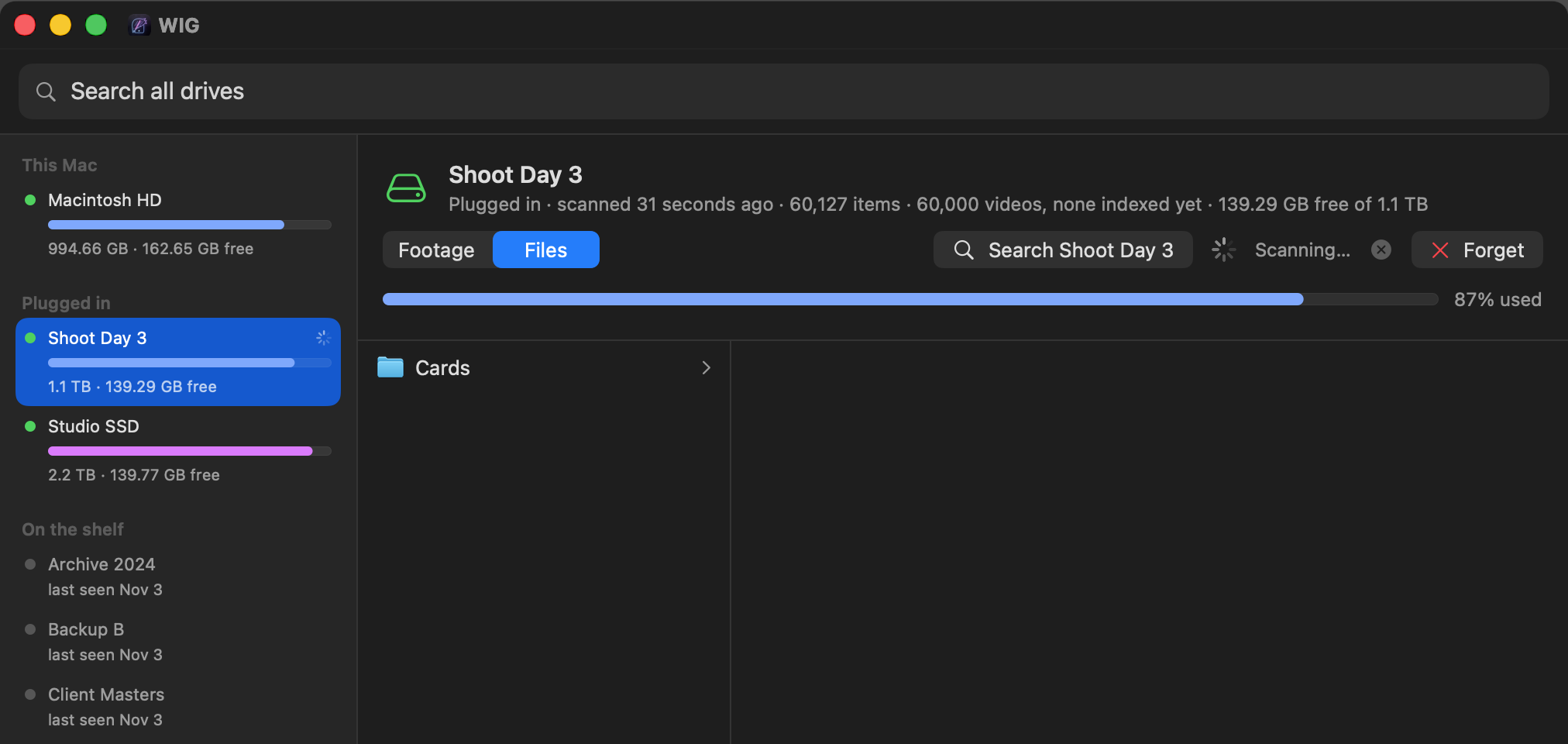
WIG catalogues each one on its own, in the background. It only reads.
Put them back on the shelf
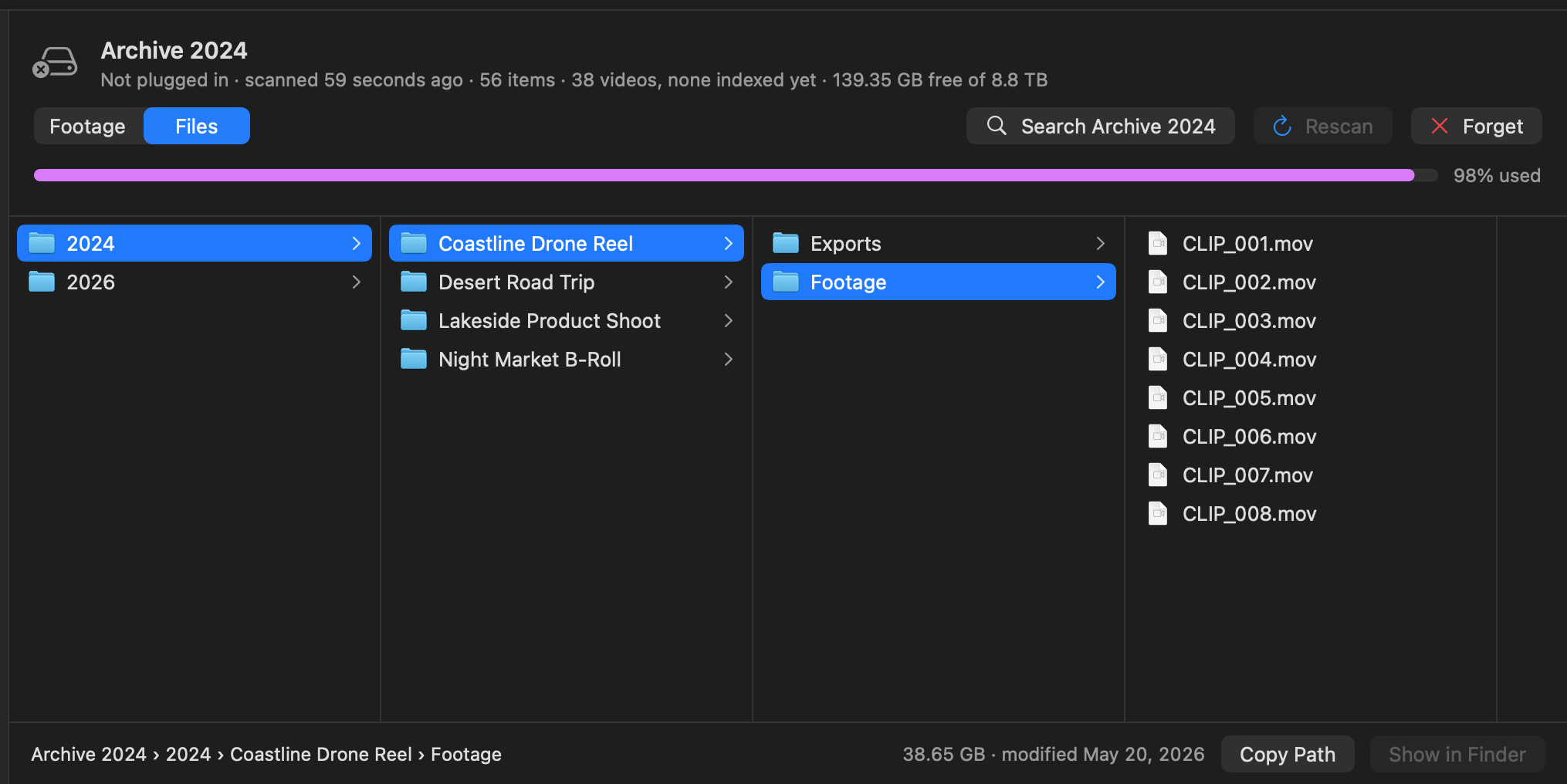
The catalogue stays on your Mac, so the drives can go away.
Search
Control-Option-Space and a few words: a file name, a shot, or a line someone said.
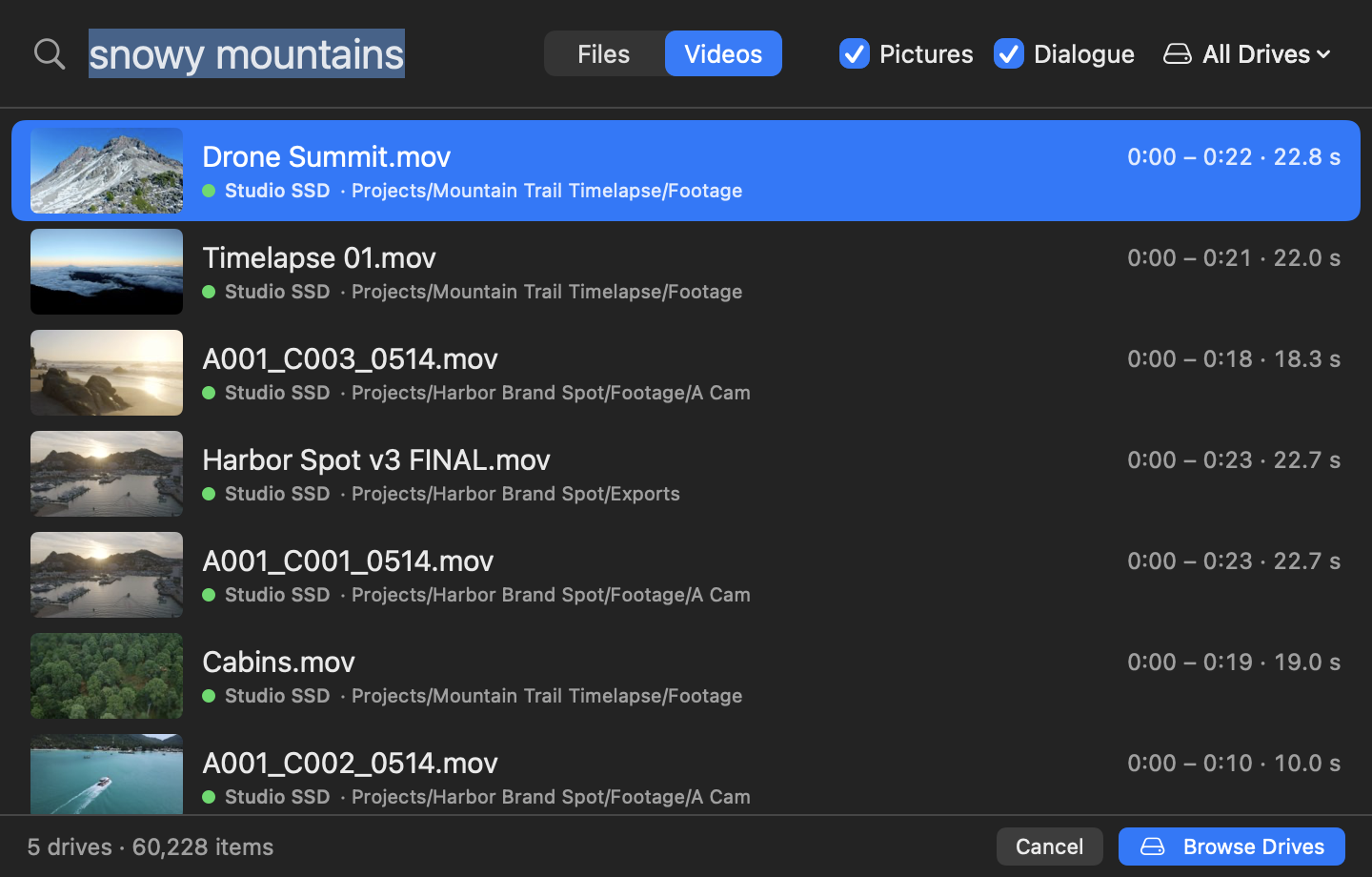
Search your footage by what's in it
Type what you're looking for: "a goalie making a save", "a zebra longer than 3 seconds". WIG finds the shots and shows each one at its moment in the clip, with its picture. Say how long in plain words: "under 10 seconds", "at least 1 minute". One result per clip, at its best moment, with the other moments beside it: "Also at 4:00, 4:58". Click one and it plays from there.
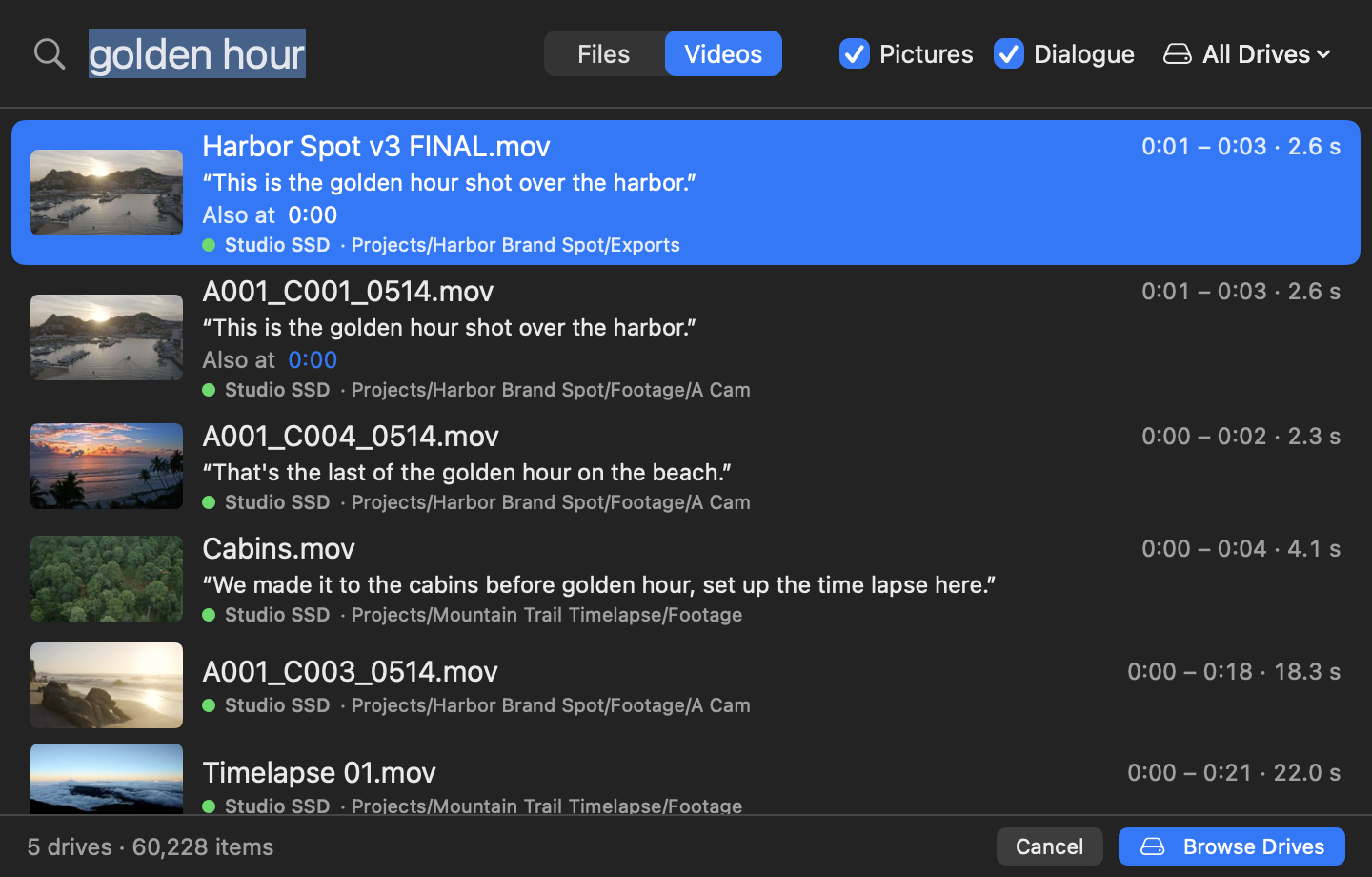
Search what's said
Every word spoken in a clip is written out. Type "thank you" and get each line where it's said, at the second it's said. The start of a word finds the longer word too: "goal" finds "goalie". Tick Pictures, Dialogue or both to choose what's searched.
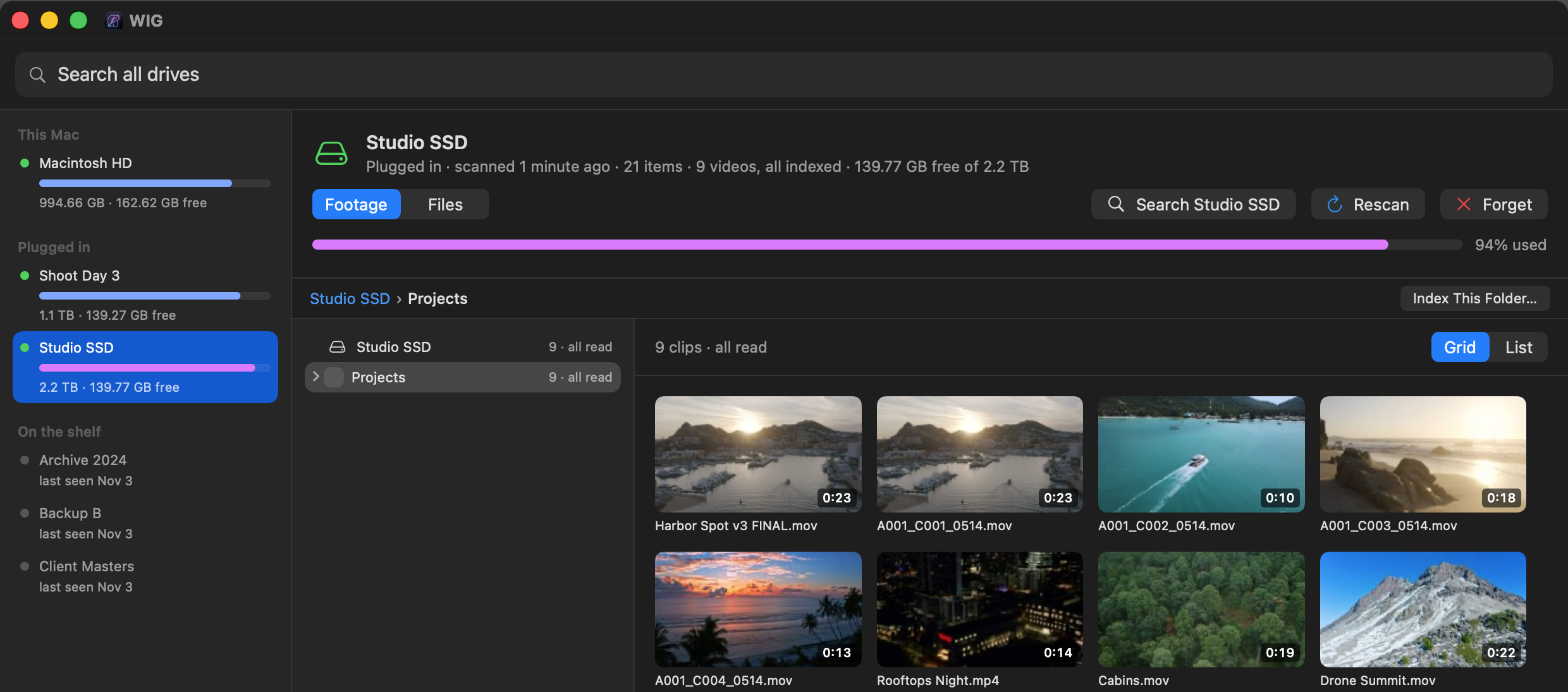
Your footage, drive on the shelf or not
Each drive gets a Footage view beside its files: every clip as a picture, with the drive's folders down the left. Shots, pictures and words are kept on your Mac, so you can find the shot before you go and get the drive. Sideways phone clips are turned upright on their own. It reads camera raw as well as MOV and MP4.
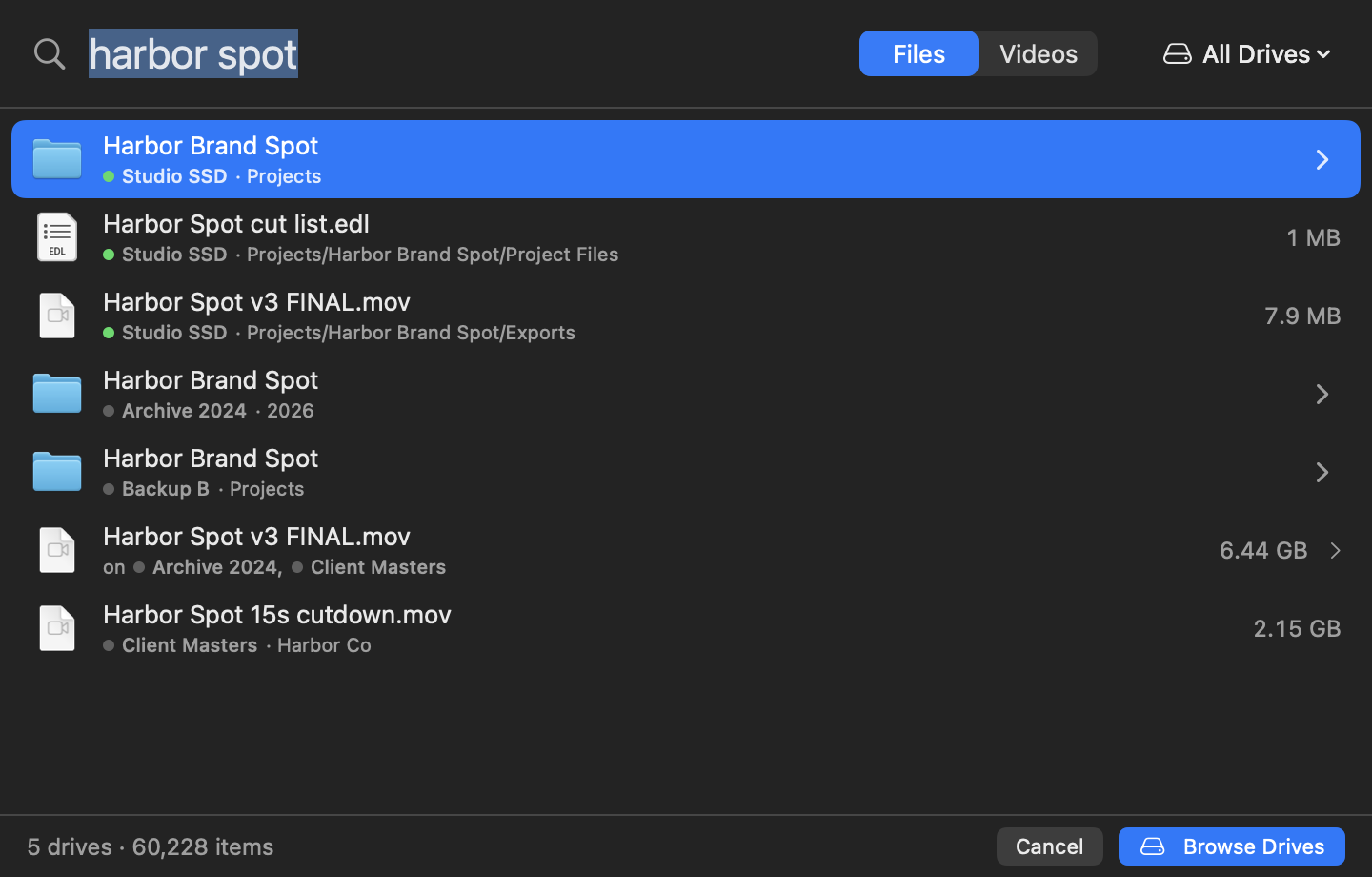
Find any file with the drive on the shelf
Press Control-Option-Space and type. Every word you type must be in the name. A green dot means the drive is plugged in, and Return opens the file in Finder. If it isn't, WIG shows which drive it's on, where, how big, and when it last changed. Go get that drive.
Plug a drive in. That's it.
WIG catalogues every drive when it starts, and a new one a few seconds after you plug it in: names, folders, sizes and dates. It only reads. The catalogue stays on your Mac, never on the drive. Time Machine drives are skipped on their own.
Every copy, one result
Backups mean the same file lives on two or three drives. WIG shows it once, with every drive it's on: "on Studio SSD, Archive 2024, Client Masters". It never picks a copy for you.
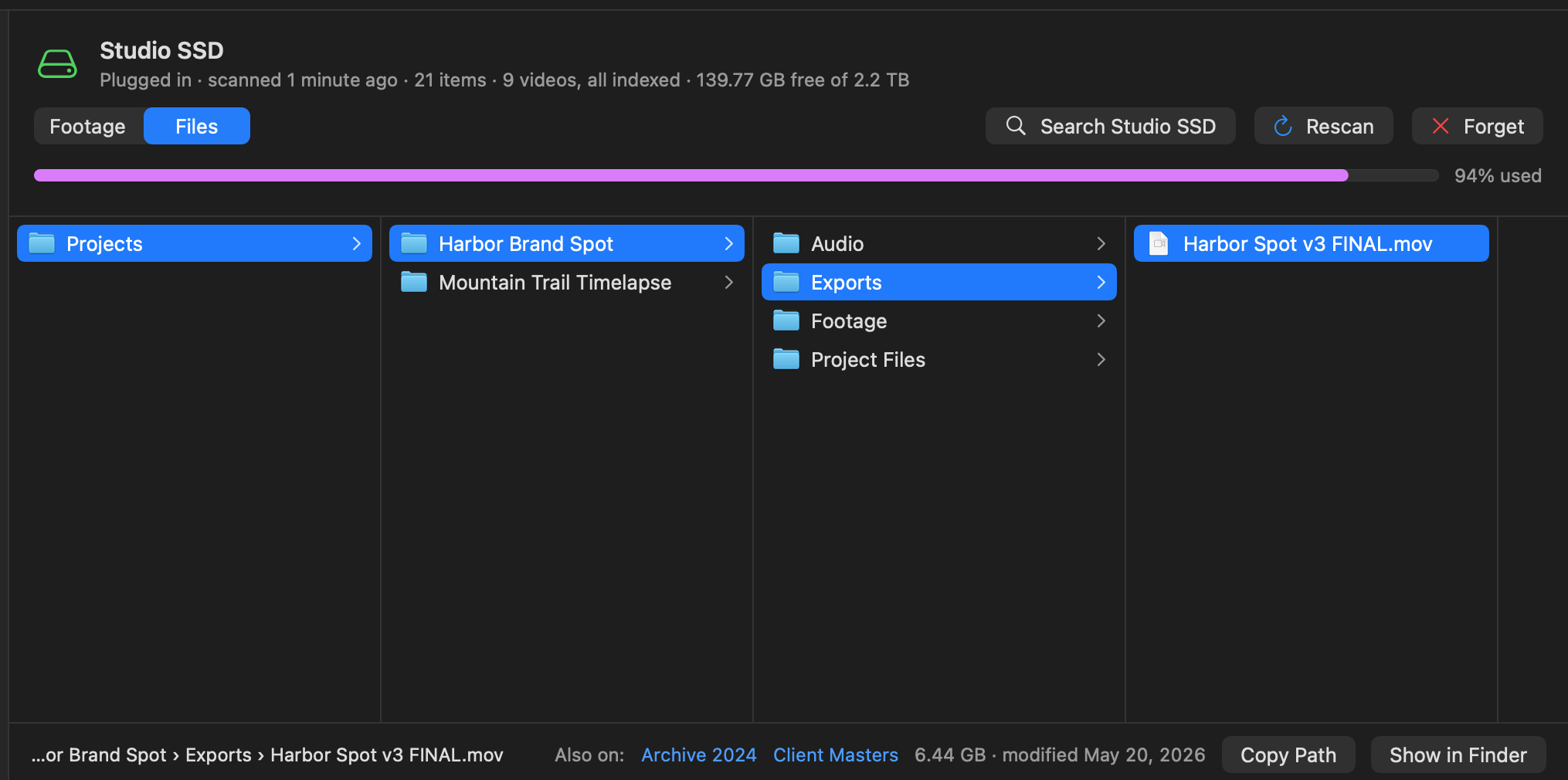
Browse a drive that isn't there
Open any drive in columns, like Finder, plugged in or not. Folder sizes are worked out for you. Final Cut, Logic and Photos libraries show as one item, with their size.
Who it's for
- A shelf of drivesShoots, backups, old projects, and no idea which one has the file.
- Editors and shootersFind last year's shot, or the line someone said, without plugging in ten drives.
- Backups everywhereSee every copy of a file, and which drives hold it.
- ArchivesKnow what's on a drive before you go and get it.
Get WIG
C$19.99, one time.
- One payment, no subscription
- Try it free: every feature, for 3 days.
- One licence, one person, up to 2 Macs.
- Updates are free.
Mac only · macOS 26 Tahoe or later · Apple silicon (M1 or later)
Version 1.0.3
- A Mac with Apple silicon.
- macOS 26 Tahoe or later.
The details
All features19 things it does, in a line each
- Search the pictureDescribe the shot in plain words and get the moment in the clip.
- Search what's saidEvery spoken word, found at the second it's said. English for now.
- Length in plain words"Longer than 3 seconds", "under 10 seconds", "at least 1 minute".
- One result per clipAt its best moment, with its other moments beside it.
- Footage viewEvery clip on a drive as a picture, plugged in or not.
- Camera rawRead as well as MOV and MP4. A raw clip with a proxy beside it is read through the proxy.
- Picks up where it stoppedIndexing cut short by quitting or ejecting carries on next time. Only what's new is read.
- Unplugged drivesSearched like the plugged-in ones.
- Catalogues on its ownEvery drive at start, a new one seconds after you plug it in.
- Read onlyNever writes to a drive. The catalogue lives on your Mac.
- One result per fileCopies on other drives listed with it.
- Columns, like FinderBrowse a drive that's on the shelf.
- Libraries as one itemFinal Cut, Logic and Photos, with their size.
- This Mac tooYour Mac's own files, from Spotlight's index. Can be turned off.
- Scan & EjectBring a drive's catalogue up to date, then eject it, from Finder or the menu bar.
- Watch a driveOptional: rescans after 5, 10 or 30 quiet minutes.
- Skip what you don't wantIgnore Render Files, temp files and any names you add.
- What you open risesFiles you open move up the results. Turn it off or clear it.
- A Terminal commandwig find, drives, scan and forget.
The licence
- One licence, one person, up to 2 Macs.
- Updates are free.
- Refunds: all sales are final, except where the law where you live gives you a right to a refund. Try the full app first.
- After the trial, cataloguing and browsing keep working; searching asks for a key.
What's new
1.0.3 · Nov 5, 2026
- Installing an update won't lose a scan or video indexing that's running. WIG can wait until the work is done.
- Fixed: the welcome, update and What's New windows could end up behind the main window.
- The logo now sits in the center of the app icon.
1.0.2 · Nov 5, 2026
- Other bug fixes.
1.0.1 · Nov 4, 2026
- Bug fixes.
1.0 · Nov 2, 2026
- First release.
Questions
Does WIG change anything on my drives?
No. It only reads them. Its catalogue is kept on your Mac, never on the drive.
What does it keep about each file?
The name, folder, size and dates. For clips you index, also the shots, their pictures and what's said in them. All of it on your Mac, never on the drive.
My drive is unplugged. Can I still search it?
Yes. That's what it's for. You'll see which drive the file is on, and where.
What about Time Machine drives?
WIG skips them on its own.
Does video search send my footage anywhere?
No. It runs on your Mac. The picture search model downloads once (360 MB) the first time you turn it on, and after that it works offline. What's said is written out by macOS's own speech recognition, on your Mac. Nothing is uploaded.
What languages does dialogue search understand?
English, for now.
Can I turn video search off?
Yes, in Settings. Video search and the Footage view are hidden, and what's already indexed is kept.
Which Macs does it run on?
Macs with Apple silicon (M1 or later), on macOS 26 Tahoe or later.
How we measured: 1 notes
- One working Mac's catalogue, 2 November 2026: 14 drives, 269,633 files.