

Tattletale
Drive won't eject? Tattletale tells you who's holding it.
- NAMES ITNo hunting through your apps. It names the one holding your drive, and the exact files.
- SEES WHAT MACOS HIDESSpotlight, Time Machine and the rest of macOS, named, when Finder only says "in use".
- ONE CLICKQuits that app and ejects the drive. One more reopens the app.
- EJECTS BY ITSELFThe moment the drive is free. No second click.
- SAFE EJECTNo restarting your Mac, no pulling the drive and hoping, no digging for the cause. It tells you what to quit, and never forces anything.
Mac only · macOS 14 Sonoma or later · Apple silicon (M1 or later)
How it works
A drive won't eject
macOS says something is using it. It doesn't say what.
Tattletale names it
The app, the background program or the part of macOS, and the files it has open. No hunting.
Out it comes
Quit it in one click, or let Tattletale eject the drive by itself the moment it's free.
It tells you who's holding the drive
"The disk wasn't ejected because one or more programs may be using it." That's all macOS tells you, so you're left quitting apps one by one, or restarting. Tattletale says which program it is, and which files it has open, in plain words.
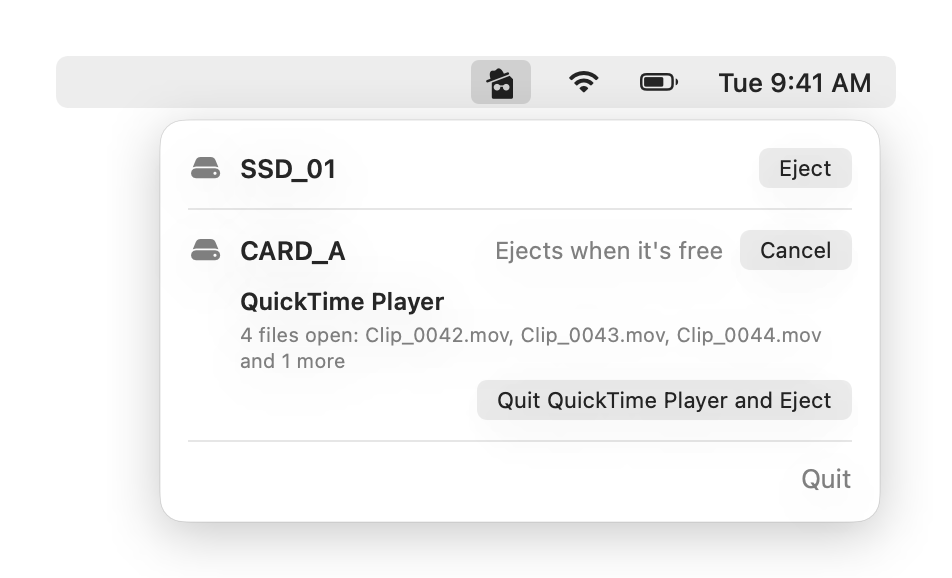
One click to quit it and eject
One click quits the app that's holding on and ejects the drive. One more click opens the app again, so you can get back to work.
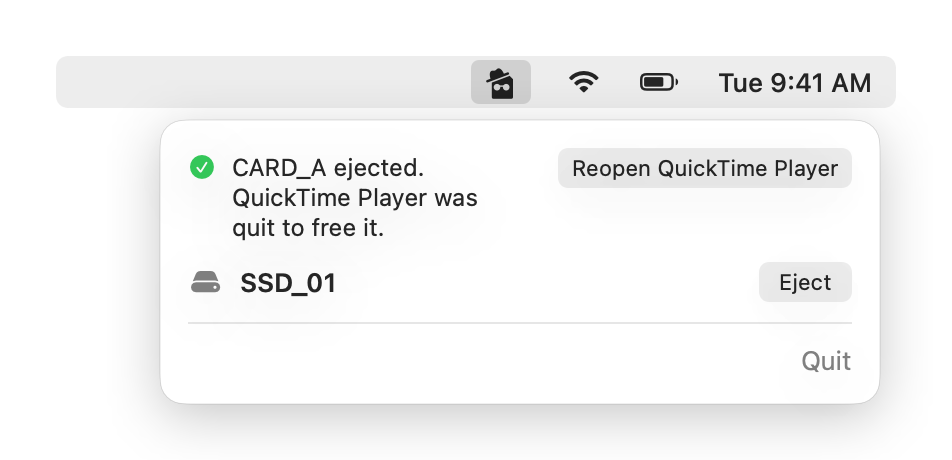
It sees what macOS hides
Spotlight, Time Machine and other parts of macOS hide their open files from ordinary apps. That's why Finder only says the drive is "in use". Allow Tattletale's helper once, with your password, and it names them, with the file. Say no and it still tells you the likely cause, and never asks again.
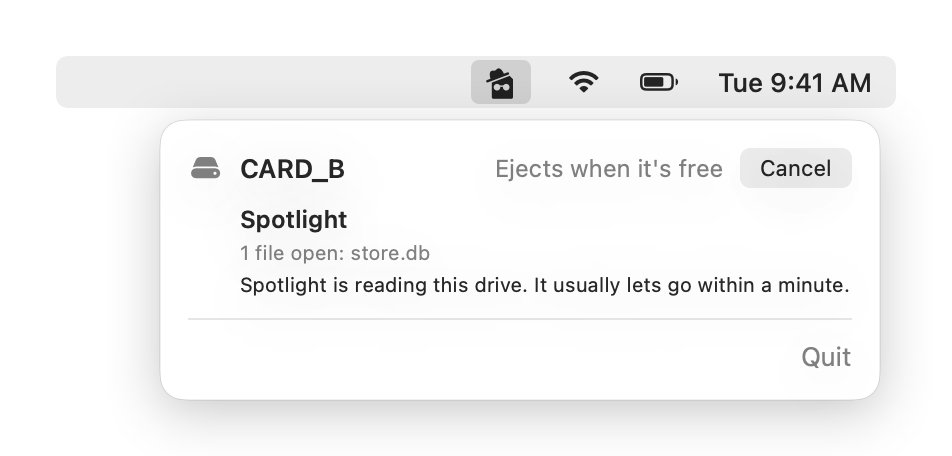
It ejects by itself
Once a drive is blocked, Tattletale waits and ejects it the moment it's free. No second click. Cancel stops it, and after 10 minutes it stops waiting and tells you.
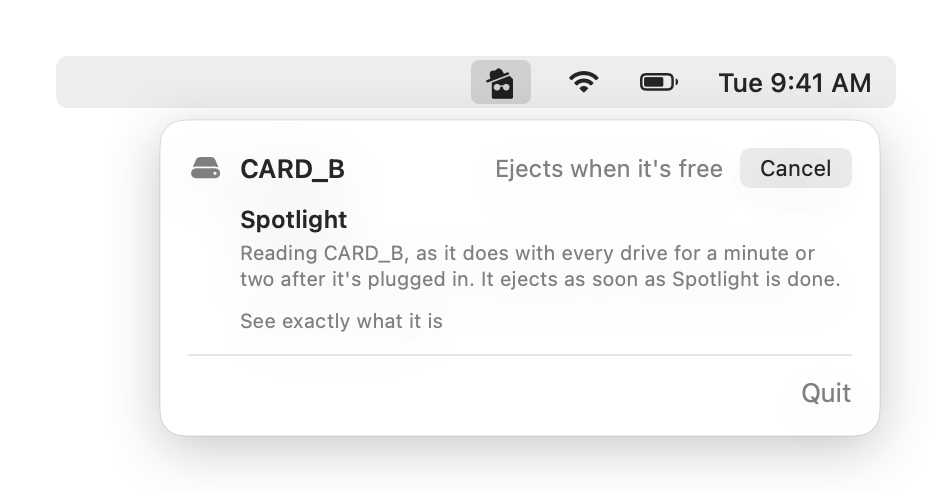
Lives in the menu bar
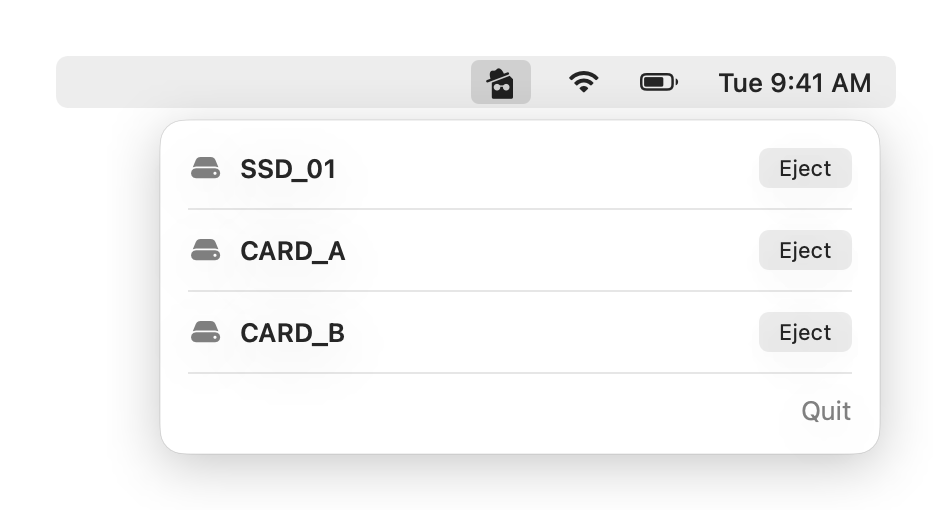
No window and no Dock icon. Click it in the menu bar when a drive won't eject.
Who it's for
- Card offloadsVideo and photo people offloading camera cards and SSDs: RED, Nikon, CFexpress.
- That messageAnyone who has seen "The disk wasn't ejected because one or more programs may be using it."
Get Tattletale
C$4.99, one time.
- One payment, no subscription
- Updates are free
- Refund within 3 days if it doesn't work on your Mac
Mac only · macOS 14 Sonoma or later · Apple silicon (M1 or later)
Version 1.0
- A Mac with Apple silicon.
- macOS 14 Sonoma or later.
The details
All features18 things it does, in a line each
- Names the appThe app holding your drive, in plain words.
- Names the filesWhich files it has open.
- Quit and ejectOne click.
- ReopenOne more click opens the app again.
- Ejects by itselfA blocked drive ejects the moment it's free. Cancel stops it.
- Sees what macOS hidesSpotlight, Time Machine and other parts of macOS, named with the file, after one password.
- Saying no is fineWithout the helper it names the likely cause, and never asks again.
- The helper only readsIt only looks at drives that are plugged in, and only Tattletale can talk to it.
- Quick Look previewsNames whose preview is holding the drive, and stops only the preview.
- Background programsStops a copy job or a render that's holding the drive, in one click.
- TerminalSpots a Terminal window sitting in a folder on the drive, and tells you how to free it.
- Finder holdupsFinder named, with what to do.
- Harmless servicesmacOS services that let go by themselves are tucked away, so they don't look like problems.
- Every drive, one listEach external drive and card, with its own Eject button.
- LiveThe list updates as drives go in and come out.
- FastFinds what's holding a drive in milliseconds, without reading through its folders.
- Never forcesNever changes anything on the drive, and never force-ejects.
- Menu bar onlyNo window, no Dock icon.
The licence
- One licence, one person, up to 2 Macs.
- Updates are free.
- Refunds: if Tattletale doesn't work as described on your Mac, email apps@twopop.ca within three days of buying. Tell us what Mac and macOS you use and what went wrong. We will refund you. This does not take away any refund rights the law where you live gives you.
Questions
Is there a free trial?
No. It's C$4.99, and if it doesn't work on your Mac, email apps@twopop.ca within three days of buying for a refund.
Does Tattletale change anything on my drive?
No. Tattletale only looks at which apps have files open on the drive. It never writes, moves or deletes anything there, and it ejects the normal way Finder does, never by force. Its Quit button asks the app to quit, just like pressing Command-Q, so the app can ask you to save first. Stopping a background program ends it right away, so if that program was still writing a file to the drive, that file may be left unfinished.
Why would it ask for my password?
Only if you want it to name the parts of macOS that hide from ordinary apps, like Spotlight and Time Machine. macOS asks once. The helper only reads, only looks at drives that are plugged in, and only Tattletale can talk to it. Say no and Tattletale still tells you the likely cause, and never asks again.
Which Macs does it run on?
Macs with Apple silicon, on macOS 14 Sonoma or later.