
Carina Compressor
- SMALLERYour videos, at the size you ask for.
- SIMPLEPlain questions, no codec names. Carina measures every clip and sets the encoder itself.
- SEE IT FIRSTThe real result at 100%, before you wait for it.
- CLEANNoise reduction that follows motion, without the ghosting.
Mac only · macOS 26 Tahoe or later · Apple silicon (M1 or later)
The size you ask for.Predicted within 2%, where the old rule of thumb was 9× off³
14× less processor workdecoding 4K ProRes on the Mac's video chip, so your Mac stays free²
See it before you wait.The converted frame at 100%, beside the original
Your originals are never touched.New files land beside them
Three or four plain questions. No codec names.
What are you making? What matters more? Resolution? The audio? Each answer shows what it costs before you pick it. Carina measures the footage and sets the encoder itself. Nate built it because getting a good file out of HandBrake meant asking AI what to set. Carina does that part for you.
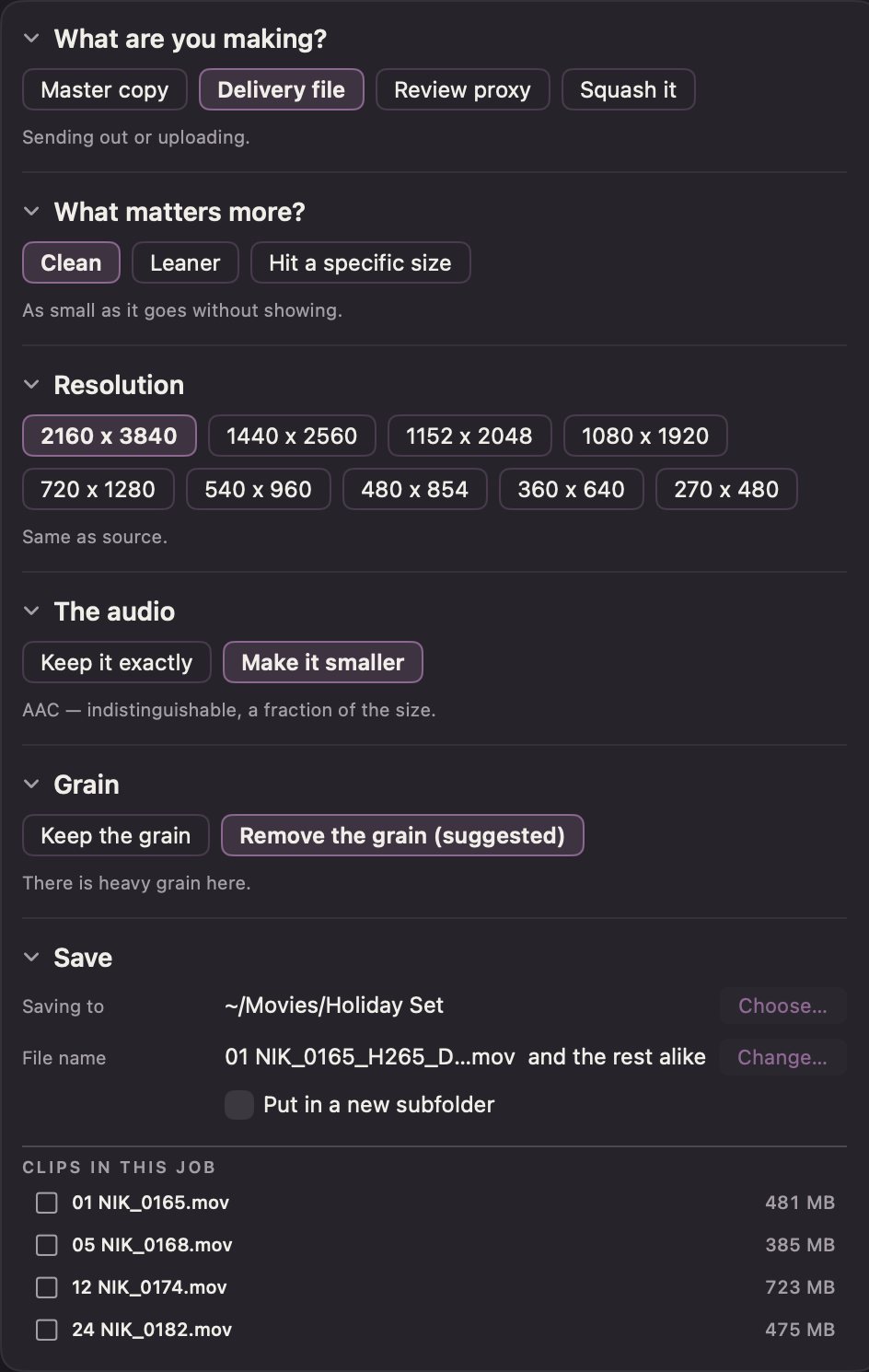
Ask for a size. Get that size, and a picture that holds up.
Type the size you need and Carina aims a little under it, and shows the file size before you convert. If a clip still misses, it offers a redo that replaces it. It warns you before a size that would look damaged, and says when half the resolution is the clean answer: a 33 GB ProRes master at 500 MB looks right at half size.⁵
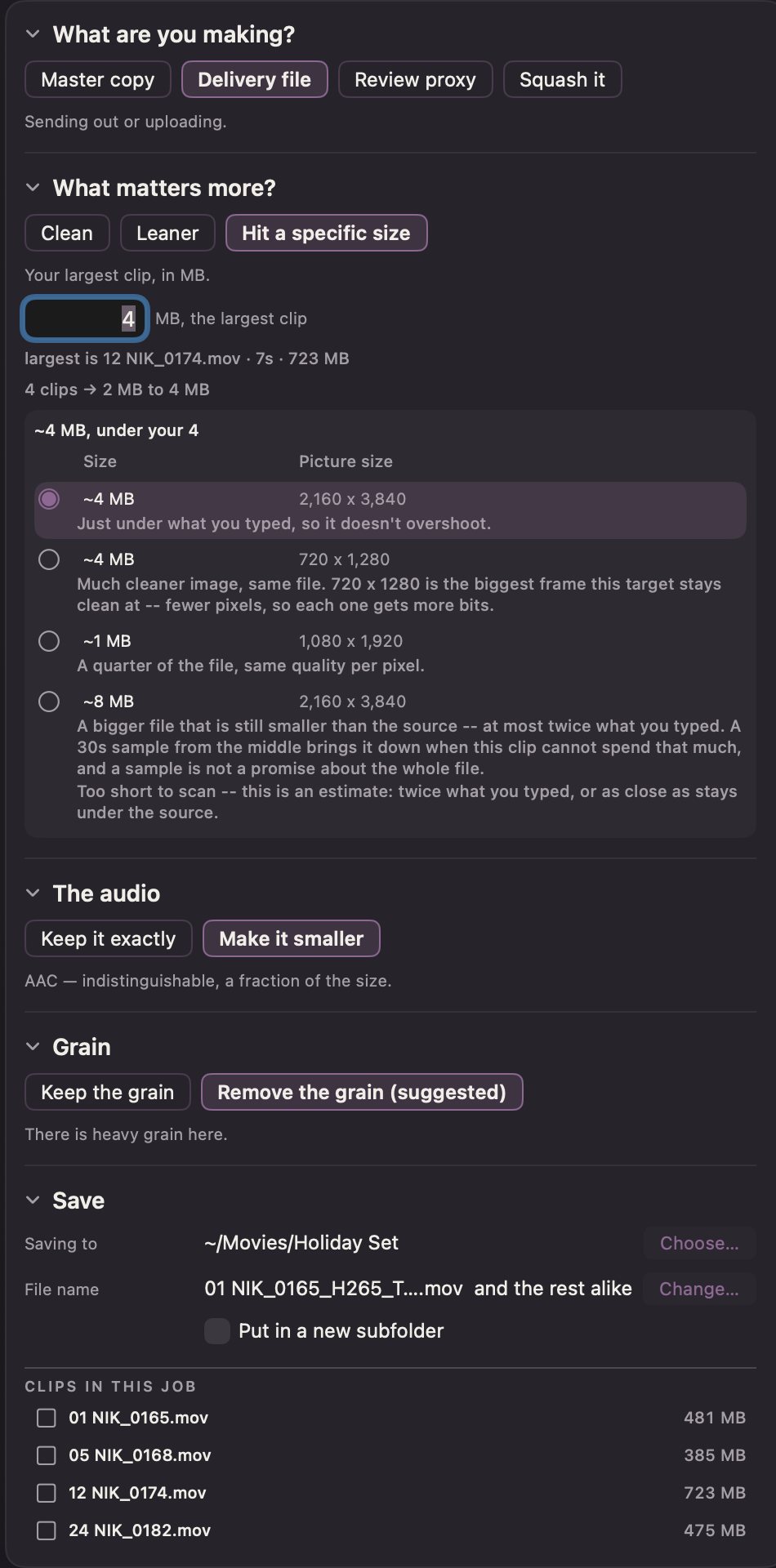
See the real result before you wait for it
The preview encodes a short piece with your exact settings and puts Source and Converted side by side at 100%. Change a setting and it renders again by itself. A filmstrip of 12 frames picks where to look. Go back to an earlier setting and it shows at once.
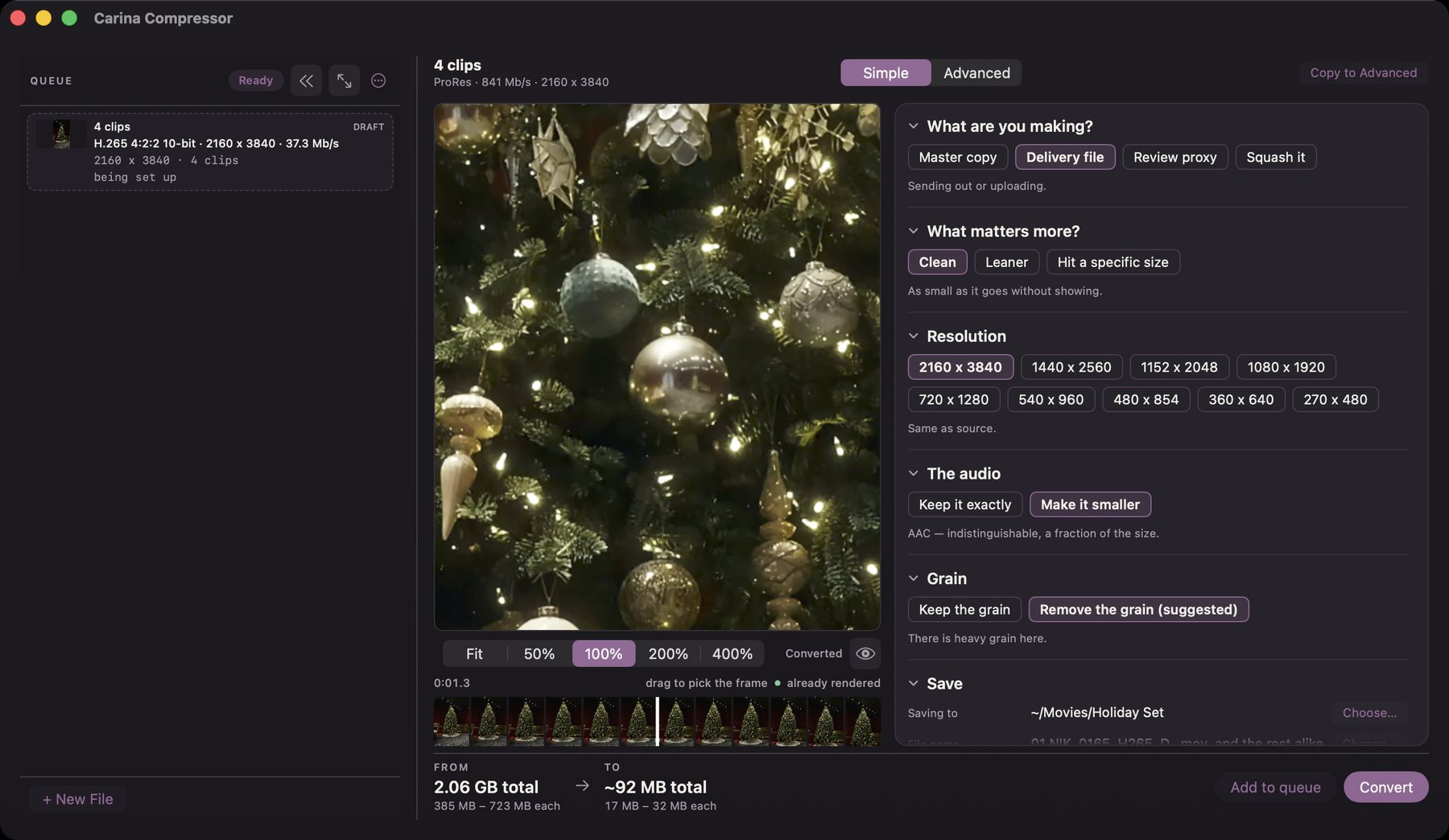
Noise reduction that keeps what moves
The standard free filter leaves trails behind moving edges. Carina's leaves none: no ghosting.⁴ It runs on the Mac's graphics chip, follows motion, and sets its strength from each clip's own measured noise. Clean footage is barely touched. A noisy night shot is cleaned hard. On 5.4K camera HEVC it costs 9% of the speed at Low and 27% at Medium.⁶
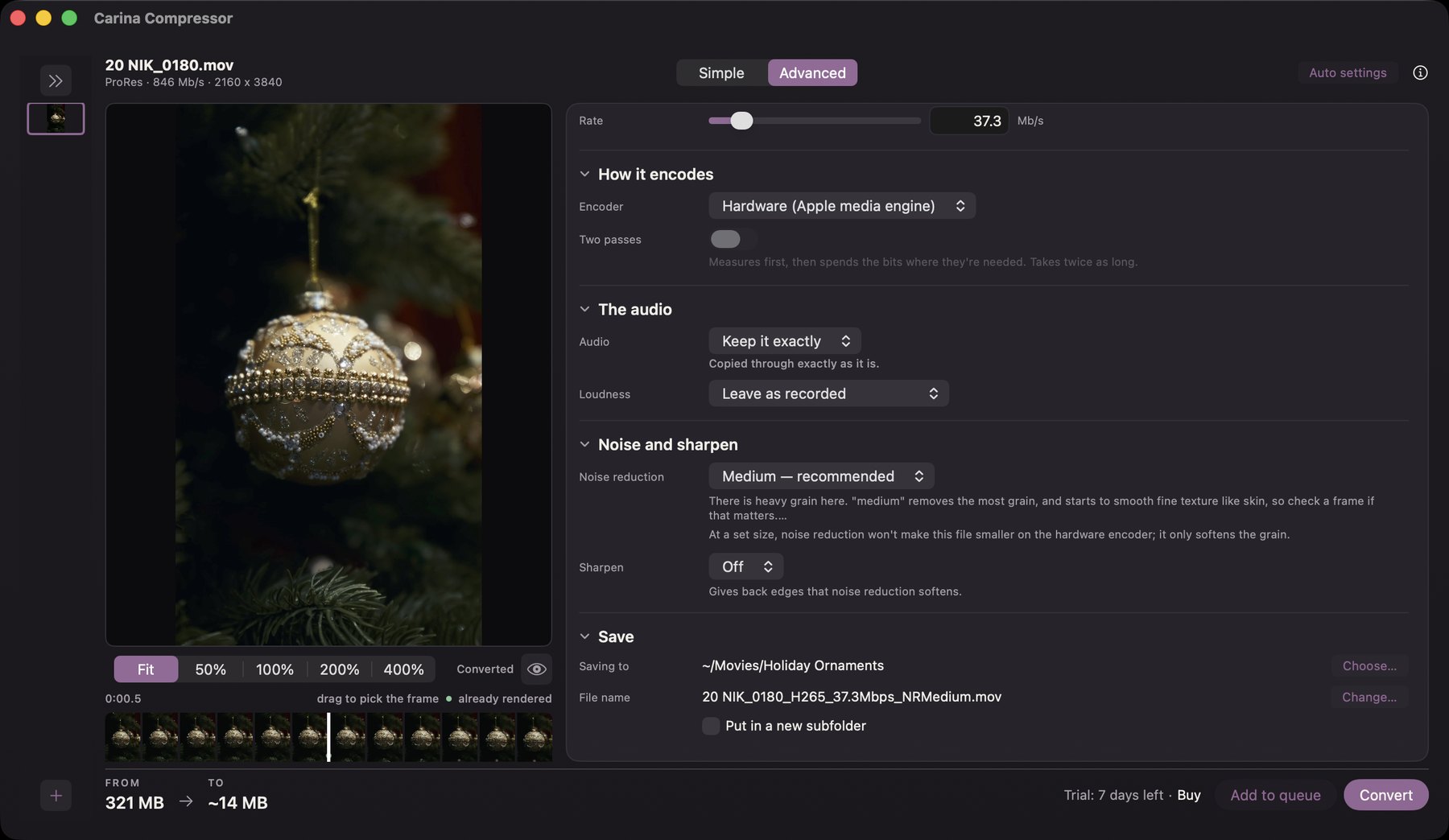
Your originals stay as they are
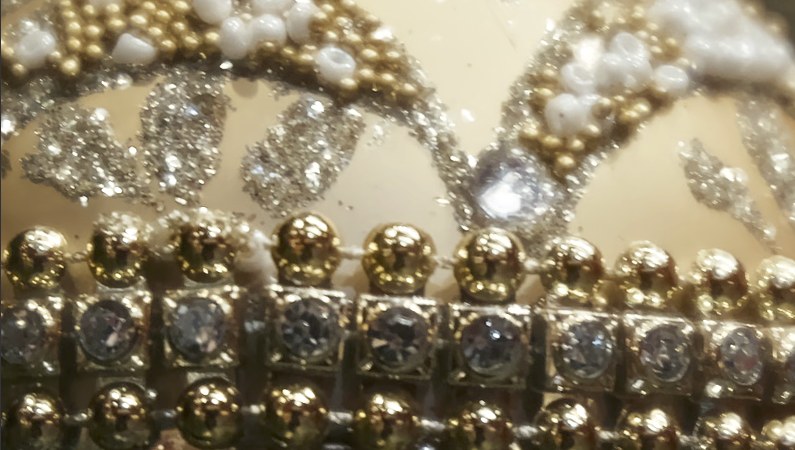
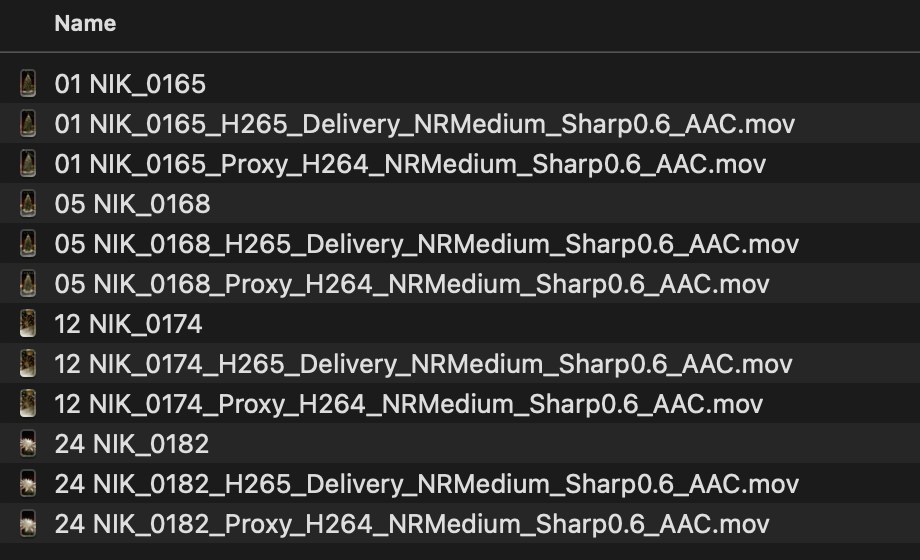
Carina never writes over a source file. The new files land beside the originals, named with what was done to them, and they keep their colour. If the video chip drops frames on a damaged clip, Carina runs that clip again instead of calling a short file done.
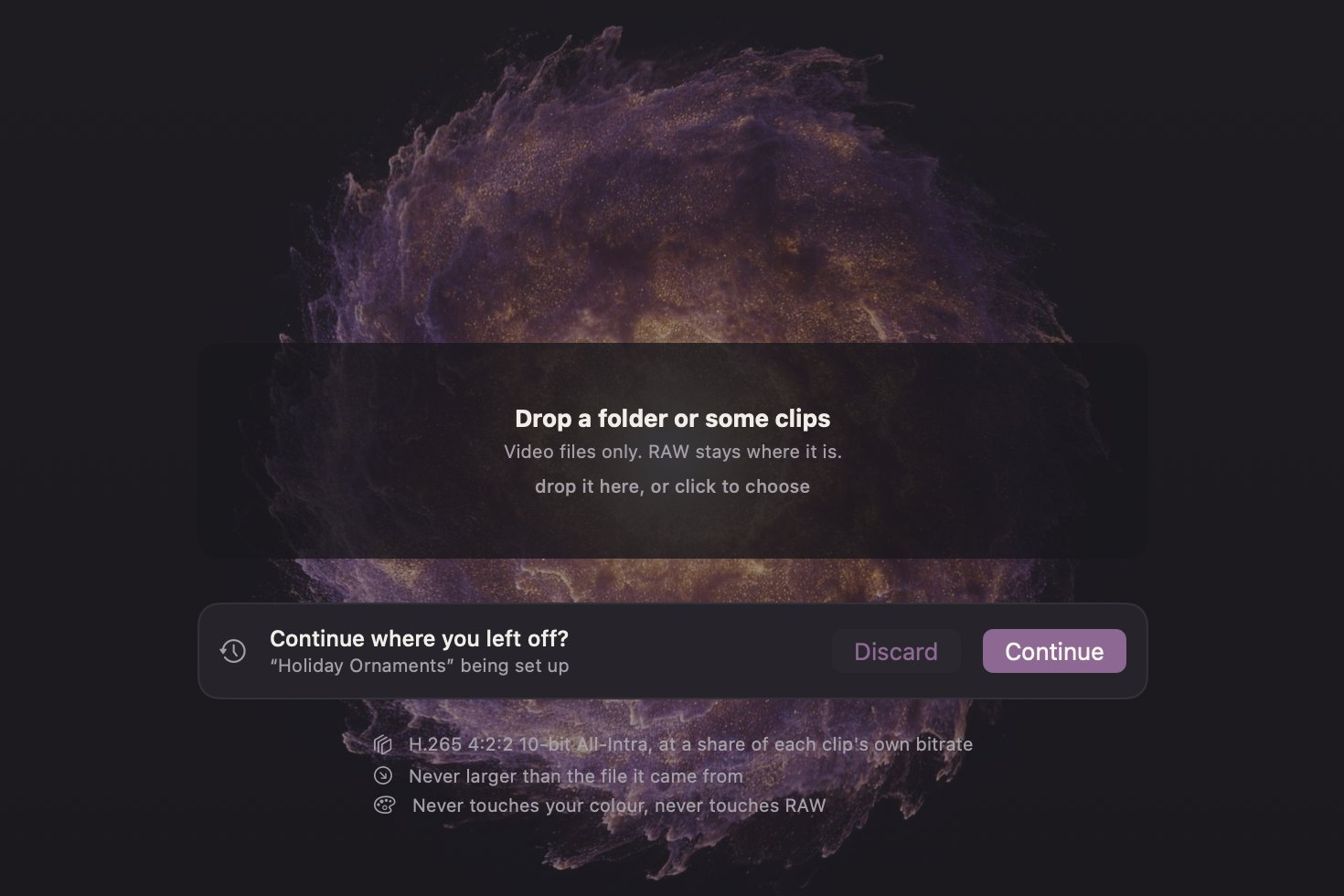
Quit halfway. Pick up where you left off.
Quit with a job half set up and Carina asks, next time it opens, whether to carry on where you left off.
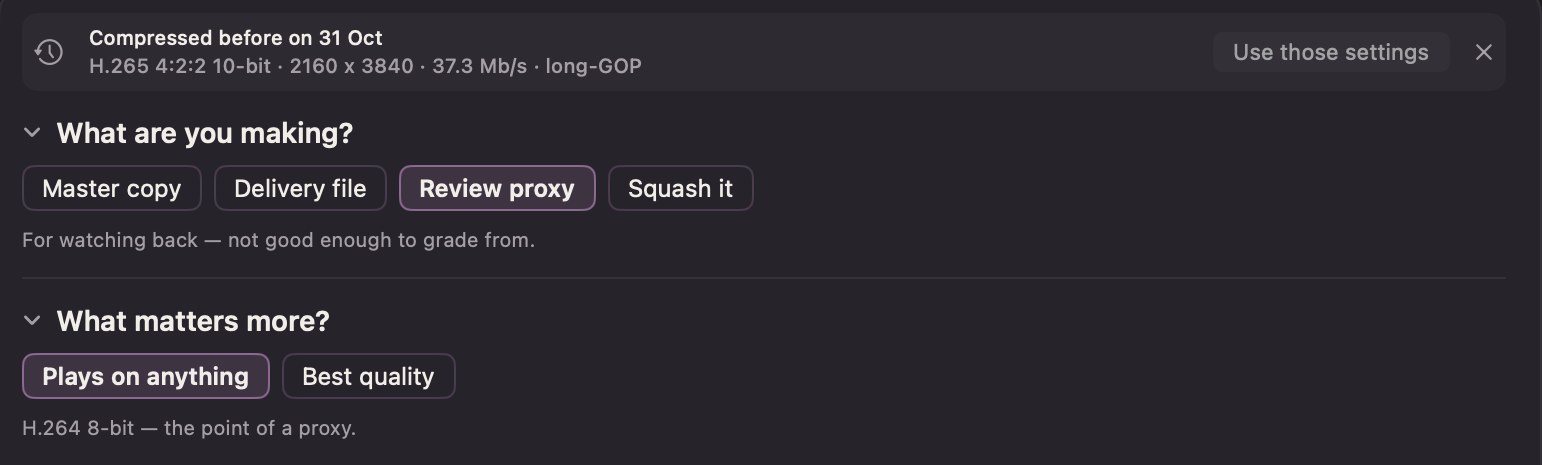
Drop in a clip you've converted before and it says so, with the settings it used last time and a button to use them again.
Every setting, when you want it
Advanced
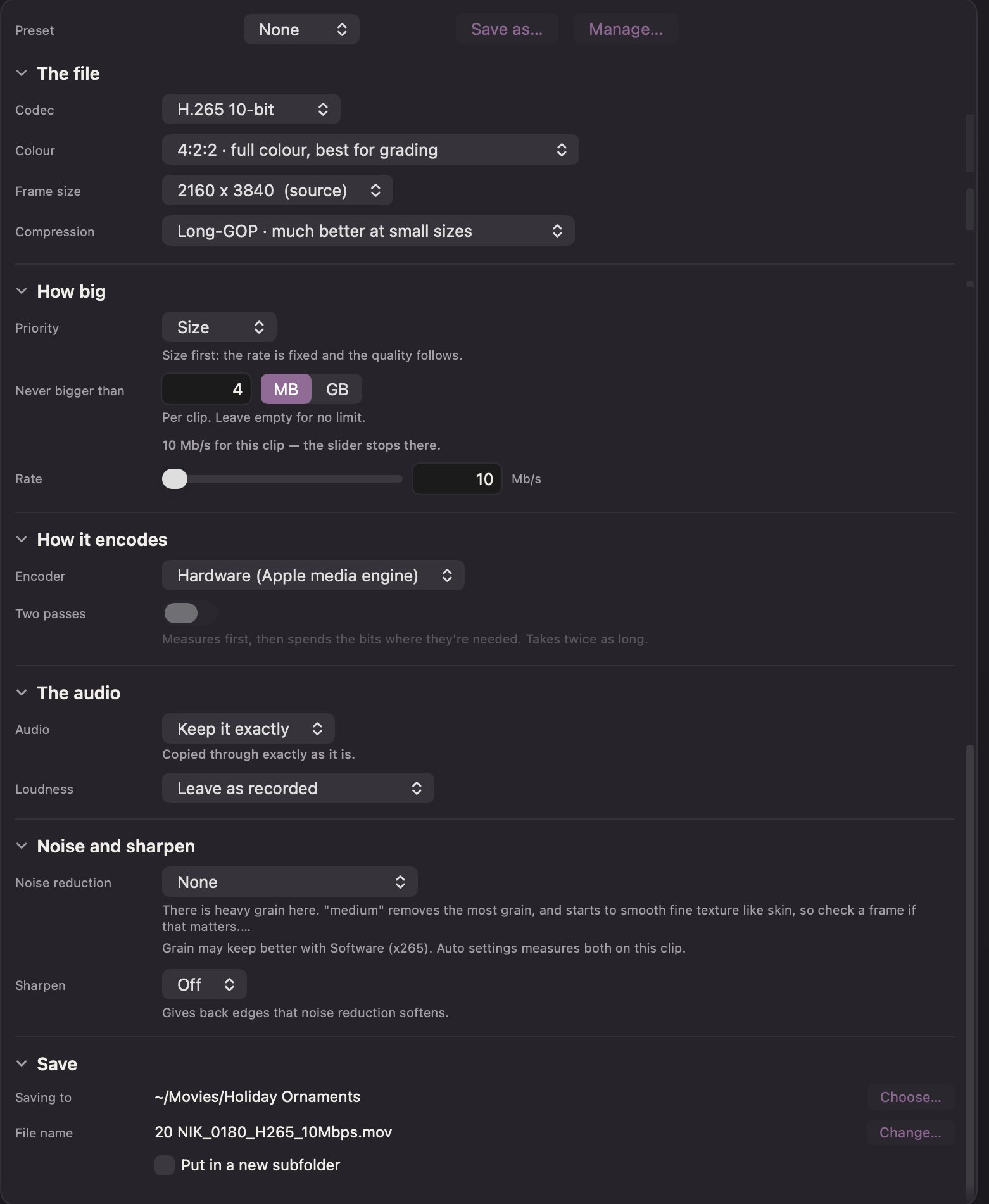
Simple asks a few plain questions. Advanced shows every setting behind them: the codec, the colour, the frame size, how big, how it encodes, the sound, noise and sharpening, and where it saves. Each one says in a line what it does.
Start from Carina's answer with Copy to Advanced and change only what you care about: a size cap per clip, a rate, two passes, a loudness target, your own file names. Auto settings goes back to what Carina measured.
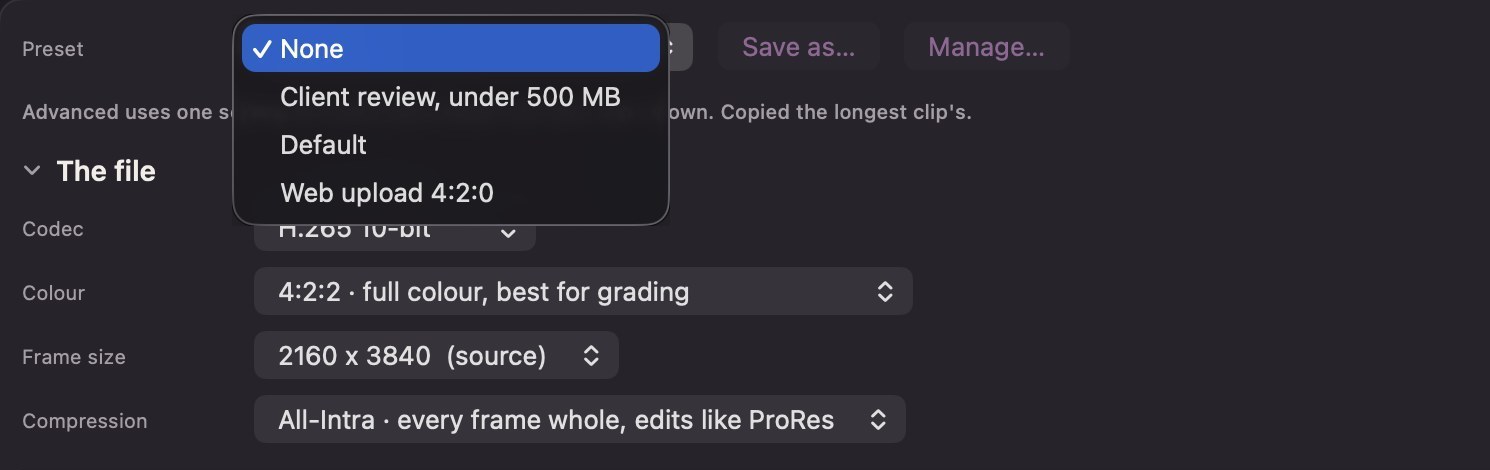
Presets
Set it up once, then pick it from the menu: a client's review copy under 500 MB, a web upload, your proxies. Save as keeps what you have; Manage renames and removes them.
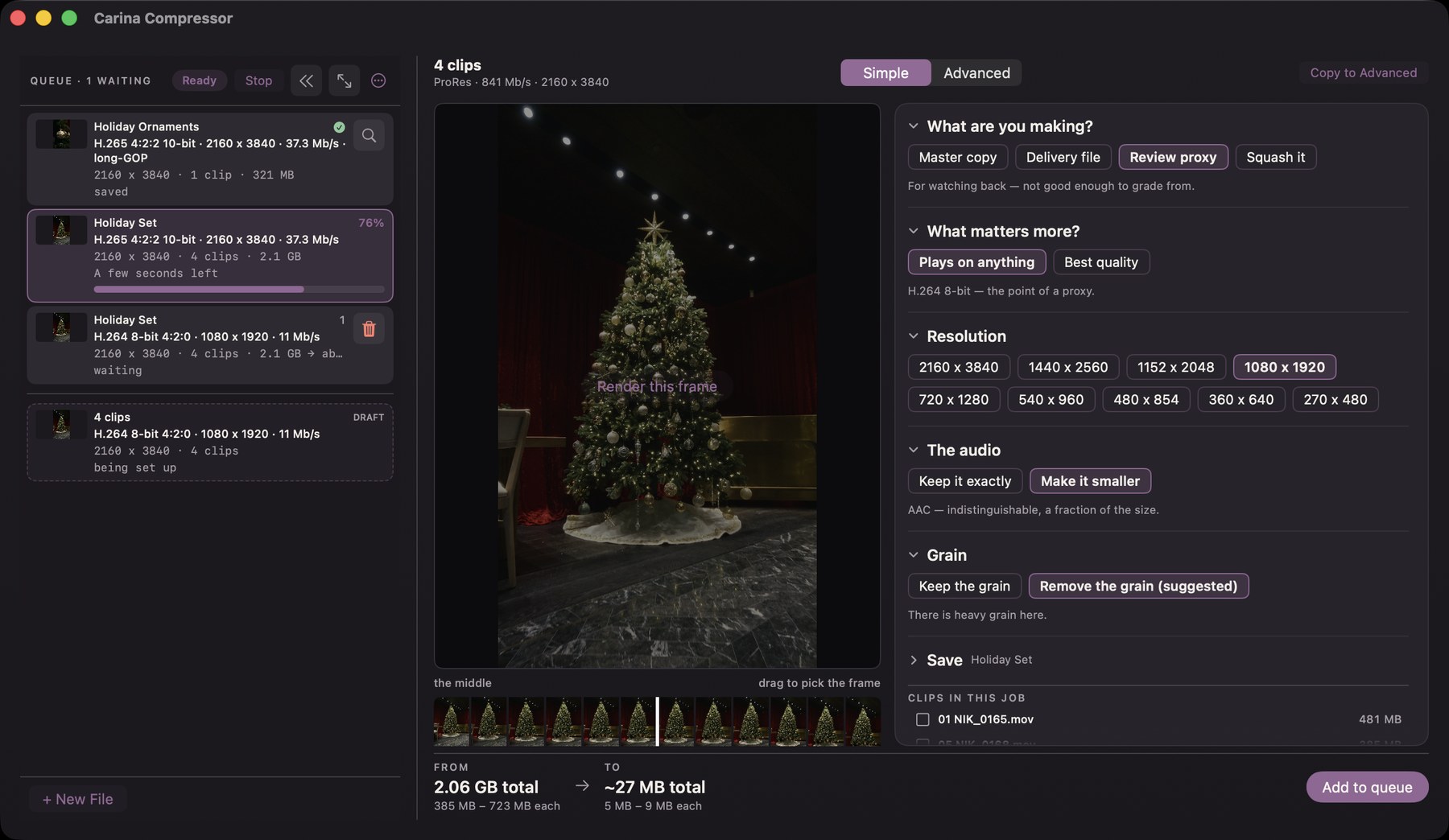
Line up the jobs and walk away
Set up the next one while this one runs
Add to queue instead of Convert and set up the next job while the first one runs. Each job keeps its own settings: a delivery file of one folder, proxies of another.
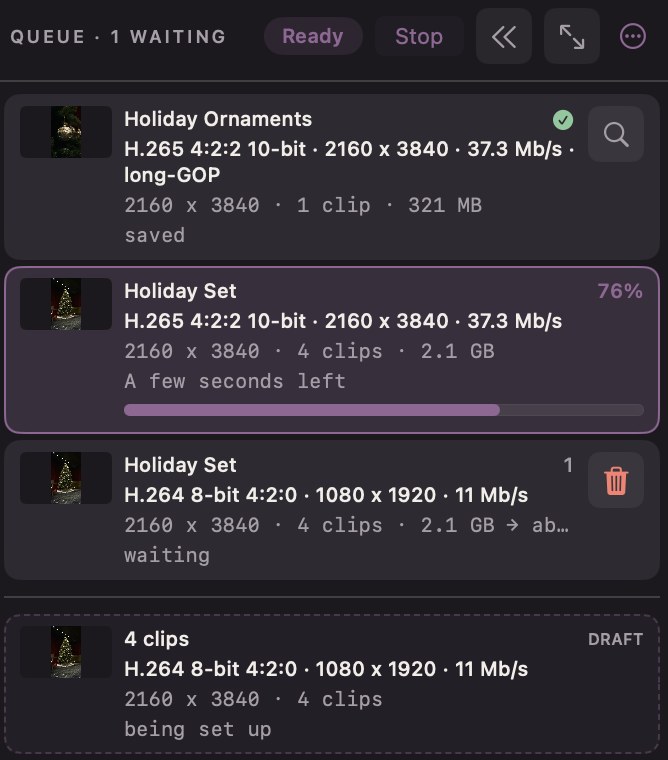
See where everything is
Done, converting with the time it has left, waiting, and the one being set up. Stop the queue, remove a job, or open a finished one in Finder.
As fast as you like, or quietly in the background
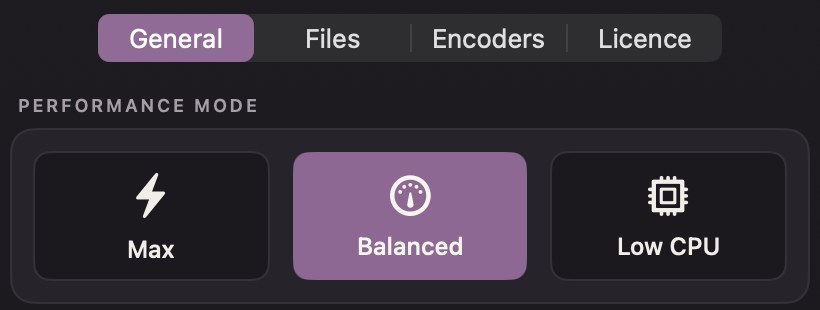
Three modes, in Settings
- MaxThe whole Mac: the fastest way through a big job.
- BalancedAbout half the processor, so other apps stay quick.
- Low CPUAbout a quarter, at a lower priority: a long job while you edit.
Every mode reads your footage on the Mac's video chip, so even Max leaves the Mac usable.
Your own FFmpeg, if you want it
You don't need it: Carina comes with its own FFmpeg, and everything on this page uses it. If you have FFmpeg on your Mac too, Carina can use its encoder for two things.
Grain that stays grain
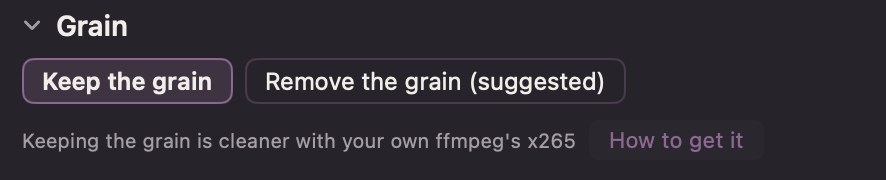
At small sizes the Mac's own encoder smooths grain into soft smudges. FFmpeg's keeps it looking like grain. Pick Keep the grain and Carina tells you when yours would do it better.
It also lands closer to the size you ask for when a file has to be tiny. It's slower. How to add it is in the questions.
Who it's for
- Delivering finished videoClient files, web uploads, review copies, archive masters.
- New to all thisNever touched a compressor, or opened one and closed it again? Answer a few plain questions; Carina picks the codec.
- Sending big filesUnder an upload limit, an email, a shared drive.
- You know your codecsAdvanced has every setting, each explained in a line, with presets, size caps and two passes.
Not for: log footage before the grade. Carina is built for finished Rec.709 video. For the odd log job: Advanced, noise reduction off.
What it reads and makes
Reads
- ProResAny flavour, from cameras and exports
- H.264, HEVCCamera files and phone clips, HDR HLG kept
- And moreAnything FFmpeg can read
- AudioKept as is, or AAC to a loudness target
Makes
- H.265 10-bit, 4:2:2 or 4:2:0
- H.264
- ProRes
- AV1 10-bit (.mp4)
Get Carina Compressor
C$29.99, one time.
- One payment, no subscription
- Try it free: every feature, for 7 days.
- One licence, one person, up to 2 Macs.
- Updates free for now.
Mac only · macOS 26 Tahoe or later · Apple silicon (M1 or later)
Version 1.0
- A Mac with Apple silicon. [flag: Intel not tested, not stated anywhere]
- macOS 26 Tahoe or later.
- Every speed figure on this page is from an M4 Pro.
- Optional: your own FFmpeg, for x265 and x264.
The details
All features12 things it does, in a line each
- Everything insideIts own FFmpeg, with AV1 and picture scoring. Nothing to install.
- The Mac's own encodersH.265, H.264 and ProRes, made on the video chip.
- Your Mac stays freeClips are decoded on the video chip too.
- Editing copies keep 4:2:2Twice the colour detail of a typical 10-bit H.265.
- Loudness to a target-14, -16 or -23 LUFS, with the peaks kept in check.¹⁰
- Audio never made biggerAlready-small audio is copied untouched.
- Phone clips stay uprightPortrait stays portrait, never squeezed.
- Every file says how it was madeAnd a re-run skips what's already done.
- Every setting, foldedAdvanced folds each section to one line, with presets.
- Your own file namesBuilt from pieces: codec, size, shot date and more.
- Three pacesRun long encodes beside other work on Low CPU.
- Tested on every change1,158 engine tests and 579 app tests.¹¹
MeasuredThe sizes it hits, the speed, and the picture against the original
What the size choice is worth (CUTTT VV, 3072×2048 ProRes HQ)⁷
| File | Method | Picture (VMAF, 100 = the source) |
|---|---|---|
| 23.5 MB | All-Intra, every frame stored whole | 38.82 |
| 23.5 MB | Long-GOP, what Carina uses for watched files | 87.01 |
| 500 MB, full size (0.037 bpp) | Long-GOP on the Mac's chip | 75.78 |
| 2000 MB, full size (0.184 bpp) | Long-GOP on the Mac's chip | 96.70 |
Above about 93-95 a file reads as its source. That's why Carina judges every size in bits per pixel and warns below 0.10.
AV1 for the smallest file (VMAF at the bitrate actually written, 5 s
slices at 1080p, asked for 4 Mb/s)⁸
| Clip | Mac hardware H.265 | AV1 (in Carina) |
|---|---|---|
| ProRes HQ 4K | 95.59 @ 4.37 Mb/s | 98.24 @ 4.00 Mb/s |
| HEVC 5.4K (RYZ_1250) | 96.43 @ 3.65 Mb/s | 97.52 @ 3.62 Mb/s |
| HEVC 5.4K (ZYN_0123) | 97.88 @ 3.04 Mb/s | 98.66 @ 4.01 Mb/s |
| ProRes LT 6K | 91.32 @ 0.85 Mb/s | 92.68 @ 2.04 Mb/s |
AV1 plays in QuickTime on M3 Macs and later and on iPhone 15 Pro and later. Older Macs need VLC or IINA, so it's an option, not the default.
Noise reduction, matched to each clip (file size with noise reduction, as
a share of the same file without)⁹
| Clip (measured noise) | Low | Medium |
|---|---|---|
| Night car, 6K ProRes LT (11.71) | 36.2% | 12.6% |
| Head turn, 6K ProRes LT (1.12) | 97.3% | 94.8% |
| iPhone clip (1.36) | 97.0% | 96.5% |
The licence
- One licence, one person, up to 2 Macs.
- Updates free for now.
- Refunds: all sales are final, except where the law where you live gives you a right to a refund. Try the full app first.
- Your footage and every file Carina makes are yours.
- x265 and x264 are not part of Carina Compressor. They run from the FFmpeg you installed, under its own licence.
Questions
What is FFmpeg?
FFmpeg is free, open-source software that reads and writes nearly every video and audio format. Most video apps on the Mac use it somewhere inside. Carina does too: it carries its own copy, so you don't need to install anything to use it.
So why would I need my own FFmpeg?
Most people don't. Carina's own FFmpeg does everything on this page: H.265, H.264 and ProRes on your Mac's built-in encoder, AV1, noise reduction and the quality checks. Your own FFmpeg adds two extra encoders, x265 (H.265) and x264 (H.264). They run on the processor instead of the video chip.
What do they give me?
At small sizes, cleaner files, especially on grainy footage, and sizes that land closer to what you asked for. They're slower: about 4 to 8 times longer across six cameras measured.¹² On grainy footage they scored 0.8 to 2.5 VMAF higher than the Mac's encoder at the same size, where the Mac's encoder turned shadow grain into soft blotches.¹³ On most finished footage the difference is under a point.
What do I lose without it?
Nothing stops working. Without x265 and x264:
- "Keep the grain" runs on the Mac's encoder with noise reduction off, and says so.
- Very small files in Simple use the Mac's encoder, with a note that x265 would be cleaner.
- In Advanced, the x265 and x264 rows say "needs your own ffmpeg".
- H.264 in quality mode, two-pass H.264 and "Compare presets on this clip" aren't offered.
A job saved earlier that asked for x265 runs on the Mac's encoder and says so in its result.
Why can't you just put x265 and x264 in the app?
Two reasons. Their licence (the GPL) and, more importantly, the patents on H.265 and H.264: whoever sells an app with those encoders inside owes the patent pools a fee per copy. Your Mac already has its own H.265 and H.264 encoder built in, and that's the one Carina uses. So Carina ships everything it's allowed to, and leaves x265 and x264 for you to install yourself if you want them. That's also why Carina never downloads or hosts FFmpeg for you.
How do I install it?
In Carina, open Settings › Encoders › How to get ffmpeg. Two ways:
- Install with Homebrew. Carina opens Terminal with a short script that says what it'll do and waits for you to press Return before each step. If you don't have Homebrew, it installs that first (it asks for your Mac password). Then it runs
brew install ffmpeg. - Do it yourself. Get Homebrew at brew.sh, then run
brew install ffmpeg. Or see ffmpeg.org.
When you come back to Carina, it finds the new FFmpeg, checks it, and asks once: Use them? You can change that in Settings any time.
Is it safe? Is it legal?
Homebrew is the usual way to install open-source tools on a Mac, and it downloads FFmpeg from its own servers. Carina never touches the files. Before using your FFmpeg, Carina runs a one-second test encode with it, and only offers x265 and x264 if that passes. FFmpeg is free software that you install for yourself, the same way millions of people do. This isn't legal advice; Carina just keeps out of the middle of it. [flag: keep this answer short and plain; the research says not to sell x265]
Will it break my other apps?
It shouldn't. Homebrew keeps FFmpeg in its own folder. Carina uses its own FFmpeg for everything except the x265/x264 encode itself, and apps that carry their own FFmpeg inside keep using theirs. If a Homebrew update breaks or removes FFmpeg later, Carina notices, falls back to the Mac's encoder and says so. To remove it: brew uninstall ffmpeg. [flag: reasoned, not tested against other apps]
Will my files play everywhere?
H.265, H.264 and ProRes play on every current Mac and iPhone. AV1 plays in QuickTime on M3 Macs and later; older Macs need VLC or IINA. Carina says so where you choose AV1.
Does it touch my originals?
Never. Outputs land beside the source, or in a folder you choose, with the settings in the file name. Carina checks the file itself, not just its name, before it writes. If a name is taken, it asks, Finder-style.
Is it for log footage?
It's built for finished video. Noise reduction before the grade damages log footage. For an occasional log job: Advanced, noise reduction off.
Can I try it first?
Yes. The trial is the whole app, Simple and Advanced, free for 7 days from the first time you open it. After that, previews stay free and converting asks for a licence key.
What Mac do I need?
A Mac with Apple silicon running macOS 26 Tahoe or later. On macOS 13 to 15? Tell us, and if enough people want it, we'll make a version for you.
Who makes it?
Nate Colitto, a video shooter in Toronto, under TWO POP. Carina is named after the Carina Nebula, where stars form out of dust: a big, loose source pulled into something small and bright.
How we measured: 13 notes
All measurements on Nate's M4 Pro (10 performance + 4 efficiency cores), FFmpeg 9.0.1, mostly on 10-second excerpts. VMAF is a 0-100 score for how close a compressed file looks to its source; about 6 points is a difference most people can just see.
- CUTTT VV (3072×2048 ProRes HQ), 20 s, same encoder, same 23.5 MB: All-Intra 38.82, long-GOP 87.01. 2026-09-13.
- 10 s of 4K ProRes to hardware H.265: 24.6 → 1.7 CPU-seconds, same speed, best of two. 2026-10-01.
- A 30 s grainy 4K ProRes clip, real encode 81 MB: predicted 742 MB before the fix, 83 MB after. One clip. 2026-09-19.
- RYZ_1242 (6K ProRes LT) at 34.5 s: the standard filter (hqdn3d) trails at Low and Medium; Carina's leaves none on the same frames. Judged by eye on 2× crops. 2026-10-09.
- 3072×2048 at 500 MB: about 1,574 MB needed for 0.15 bits per pixel at full size; half size at 500 MB is 0.147.
- ZYN_0062.MOV (5376×3024, 432 frames), whole job, hardware encoder: off 18.8 s, Low 20.5 s, Medium 23.9 s. Two rounds within 1%. 2026-10-16. and 27% (medium)…")
- Rows 1-2 as footnote 1. Rows 3-4: 6m52s, mean of three 10 s stretches.
- One run, 2026-10-24. "Best" holds under the results' own rule that a gap under 0.5 is not a finding. AV1 encode speed not measured. Playback: M4 Pro measured; M3/iPhone 15 Pro and older-Mac behaviour looked up, not run.
- 36 frames, sizes measured on x265 CRF 22, not on the Mac's encoder. 2026-10-10. [flag: x265-measured; re-run on hardware or drop the table]
- A -29 LUFS recording with clicks at -0.3 dBTP reaches -14 within 0.6 LU and stays under -1.0 dBTP. 2026-10-16.
- Python 1,158 passed; Swift 579 run, 0 failed; six end-to-end runs pass. 2026-10-26, commit 6ce6dae.
- Six cameras, 3.9-8.4× (about 5×). 2026-10-02.
- Four grainy 30 s slices: +0.8 to +1.6 at comfortable sizes, +1.6 to +2.5 at tight ones. 2026-10-01.